History Management
On the Profile Details screen, user can select the History tab to view build and deploy history within a Profile.
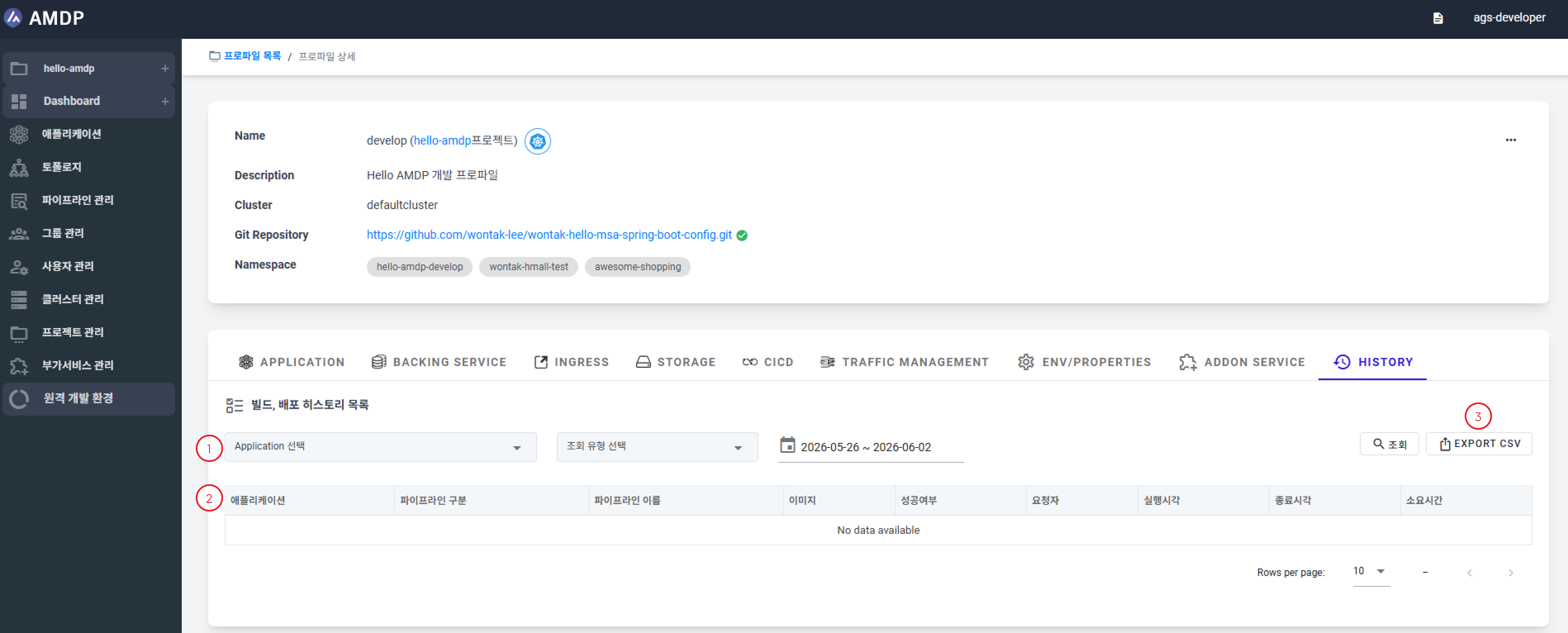
① Filter by application, query type, date range to quickly find specific history records.
② History is displayed in a table with the following information:
- Application: Related application name
- Pipeline Type: Pipeline type information
- Pipeline Name: Executed pipeline name
- Image: Built/used image
- Result: Execution result
- Requester: User who requested/triggered the run
- Start Time: Execution start timestamp
- End Time: Execution end timestamp
- Duration: Total execution time
③ Click EXPORT CSV to download a CSV file containing the history records.