Edit Agent Instance
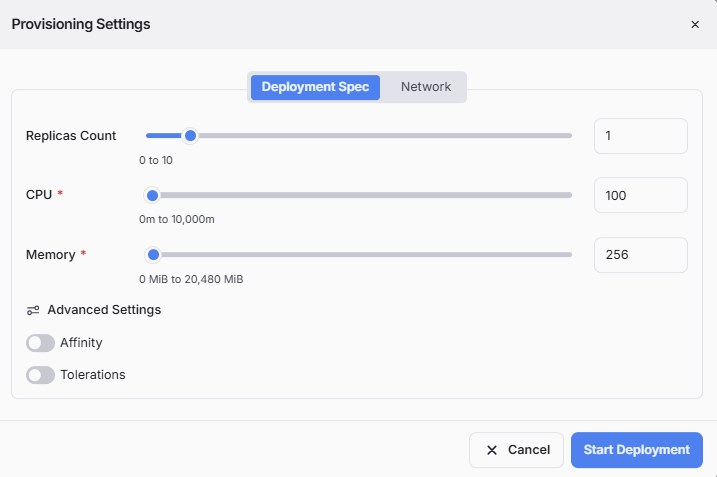
To edit an agent instance, click the (⋮) button on its card. The system will open a form showing all Provisioning Settings saved when you completed provisioning in the Agent Profile canvas. You can update the deployment spec and network information, then click Start Deployment to redeploy the agent with your changes. For details on provisioning settings, refer to Provisioning Agent.