Publish or Unpublish Agent Instance
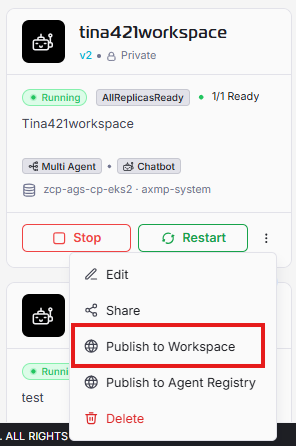
Publish to workspace
The Publish to Workspace action is available when you click (⋮) on each instance card.
Use this action to make the selected agent instance available in AI Workspace so workspace users can access and run it according to its sharing and permission settings.
When this action is completed successfully:
- The instance is published to workspace with a badge “Workspace” on instance card.
- The published instance can be selected by eligible users in workspace flows.
- Future updates to the instance may require re-publishing to reflect the latest behavior, depending on your deployment policy.
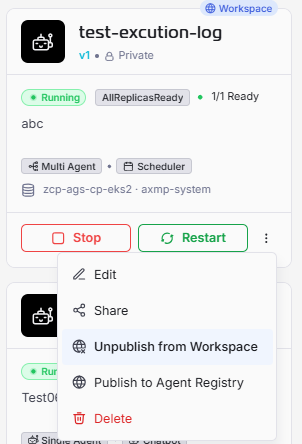
Unpublish from workspace
The Unpublish to Workspace action is available when you click (⋮) on each instance card that already published before.