Agent Instance Actions
Stopping an Instance
This action is available for instances that are currently RUNNING, FAILED, PARTIALLY READY or PENDING. Stopping an instance will safely shut it down.
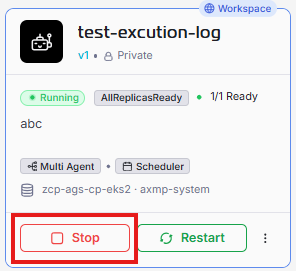
- Locate the running instance you wish to stop on the screen Agent Instance listing.
- Click the red STOP button (in grid view) or the red stop icon (in list view).
- A confirmation dialog may appear. Confirm the action to proceed.
- The instance’s state will change to STOPPED.
Resuming an Instance
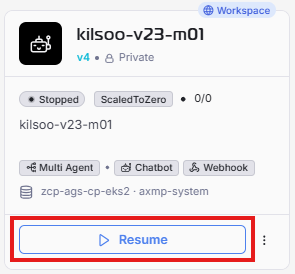
This action is available for instances that are currently in a STOPPED state. Resuming will bring the instance back to the previous state.
Restart an Instance
This action is available for instances that are currently in a STOPPED, RUNNING state.
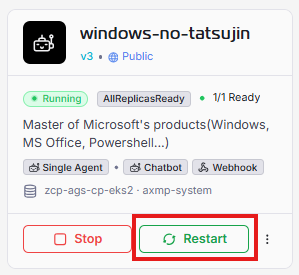
- Locate the card for the RUNNING instance you need to restart.
- Click the green RESTART button (in grid view) or the green restart icon (in list view).
- You will see a toast message showing that your restarting process has completed.
Delete an Instance
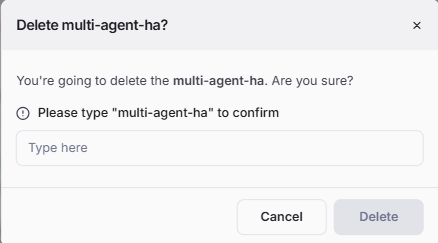
After clicking Delete, a confirmation dialog will appear to prevent accidental deletions. You can review the instance name to ensure that it is the one you want to delete. If it is correct, type the instance name in the text box and click OK to proceed with the deletion. If it is not the correct instance or you change your mind, click Cancel to avoid deleting it.