MCP Profile Playground
After finish setting up or updating a MCP Server Profile, you can review it by starting a playground.
To start, click the Playground button on the top right of the MCP Profile page.
Playground is not available for MCP servers with OAuth authentication. Please provision an MCP server without authentication to use the playground.
Playground Settings
Before starting, you need to set up the playground:
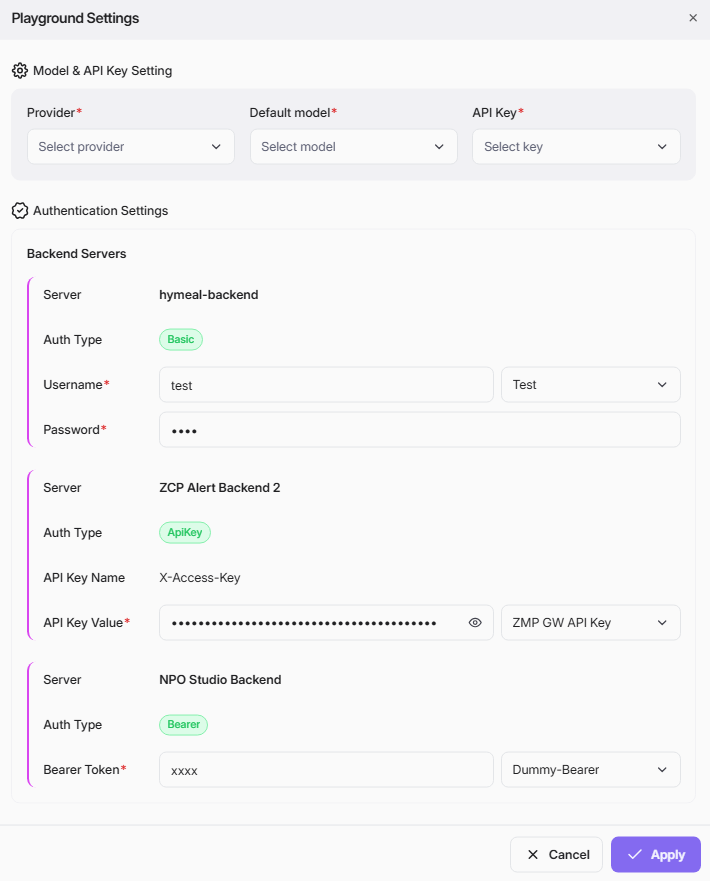
Chatbot Settings
In the Playground Settings dialogue for MCP Profile, you need to configure the information below:
-
Model & API Key Setting
- Provider: Select your model provider from the dropdown list (e.g., Anthropic).
- Default Model: Choose the model provided by the provider you wish to use for testing (e.g., Claude Sonnet 4).
- API Key: Select or enter the API Key required for authentication.
- Authentication Settings
Each Backend Servers need below setting information:
- Server: Display the backend server associated with the MCP.
- Auth Type: Specify authentication type of the backend server.
- API Key Name & API Key Value: If Auth type is ApiKey, provide the correct API key pair to ensure backend tools access.
- Username & Password: If Auth type is Basic, provide the correct key and username password for authentication.
- Key & Bearer Token: If Auth type is Bearer, provide the correct key and bearer token for authentication.
After configuring all fields, click Apply to save your settings. If you need to cancel, click Cancel.
Add Credentials
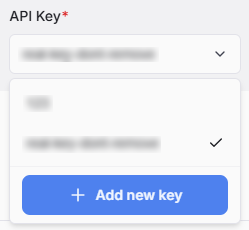
If the key you wish to use not available in the list, add new key to use. When you click on API Key to select, you will see the Add new key button at the bottom of the API Key list:
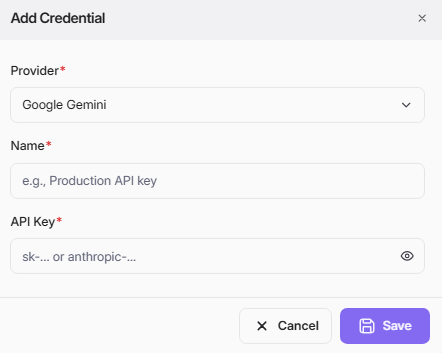
This Add Credential screen allows you to securely connect the Playground to an external AI service by saving your API key.
If add new key for Model and API Key Setting, the modal appear as below. Select Provider, input Name and API key then Save.
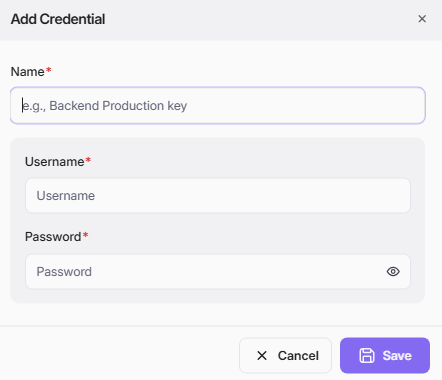
If add new key for server with Auth type is “Basicâ€, the modal appear as below. Key in Name, Username and Password then Save.
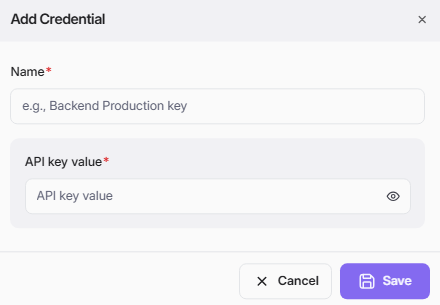
If add new key for server with Auth type is “ApiKeyâ€, the modal appear as below. Key in Name, API Key value then Save.
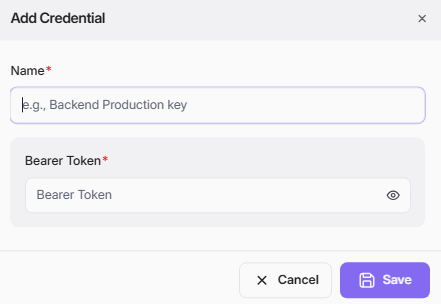
If add new key for server with Auth type is “Bearerâ€, the modal appear as below. Key in Name, Bearer Token then Save.
Playground Chatbot
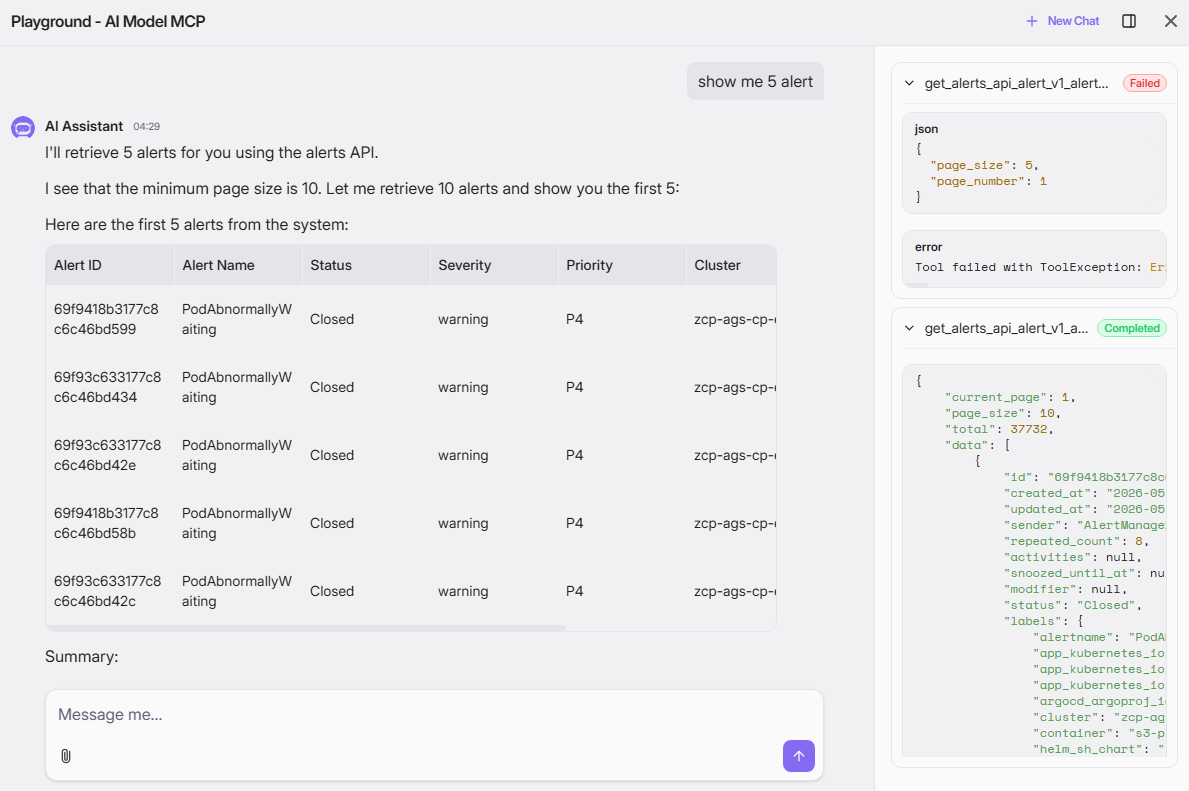
The Playground provides an interactive chat environment for testing your current MCP server.
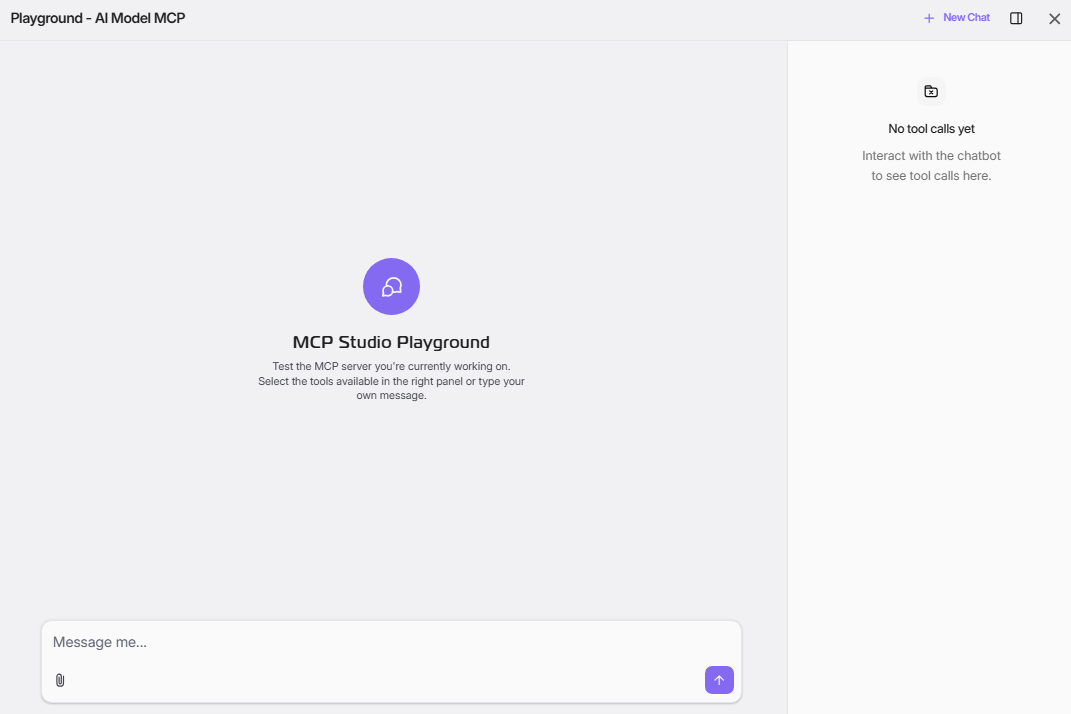
You can engage with it by typing your own custom messages or by selecting from the available tools in the right panel to observe the server's responses.
After Playground, provision MCP Profile so it will be ready as MCP Instance for Agent builder.