Register a New Backend API
Within AI Agent Studio, you can register OpenAPI specifications to automatically generate backends.
To register a new Backend API, navigate to the Backend Servers tab in your Agent Studio dashboard and following the steps below:
- Locate and click the Register Backend button at the top right of the page to begin the registration process.
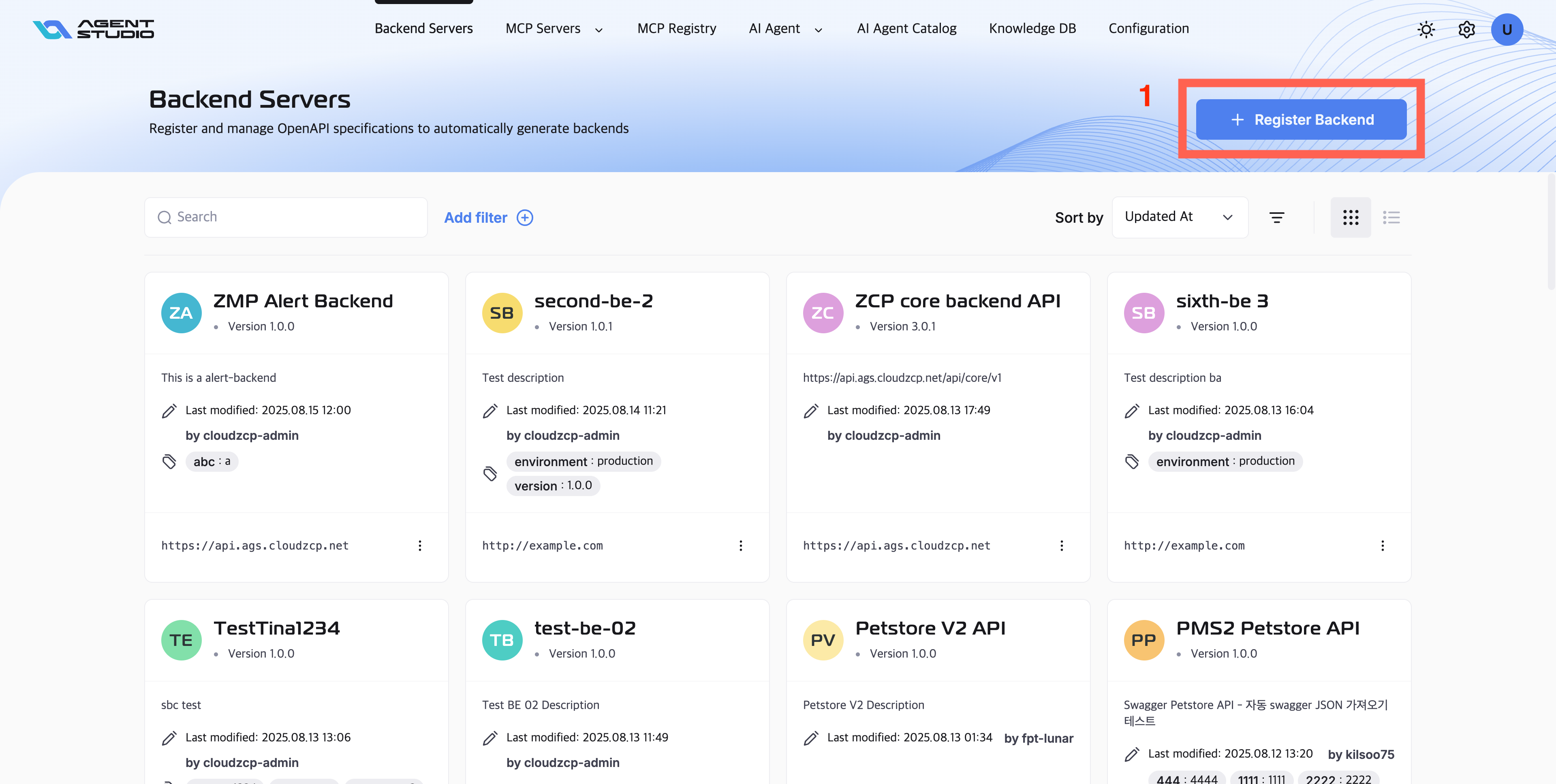
- Fill in the backend API details with the following fields in the registration form:
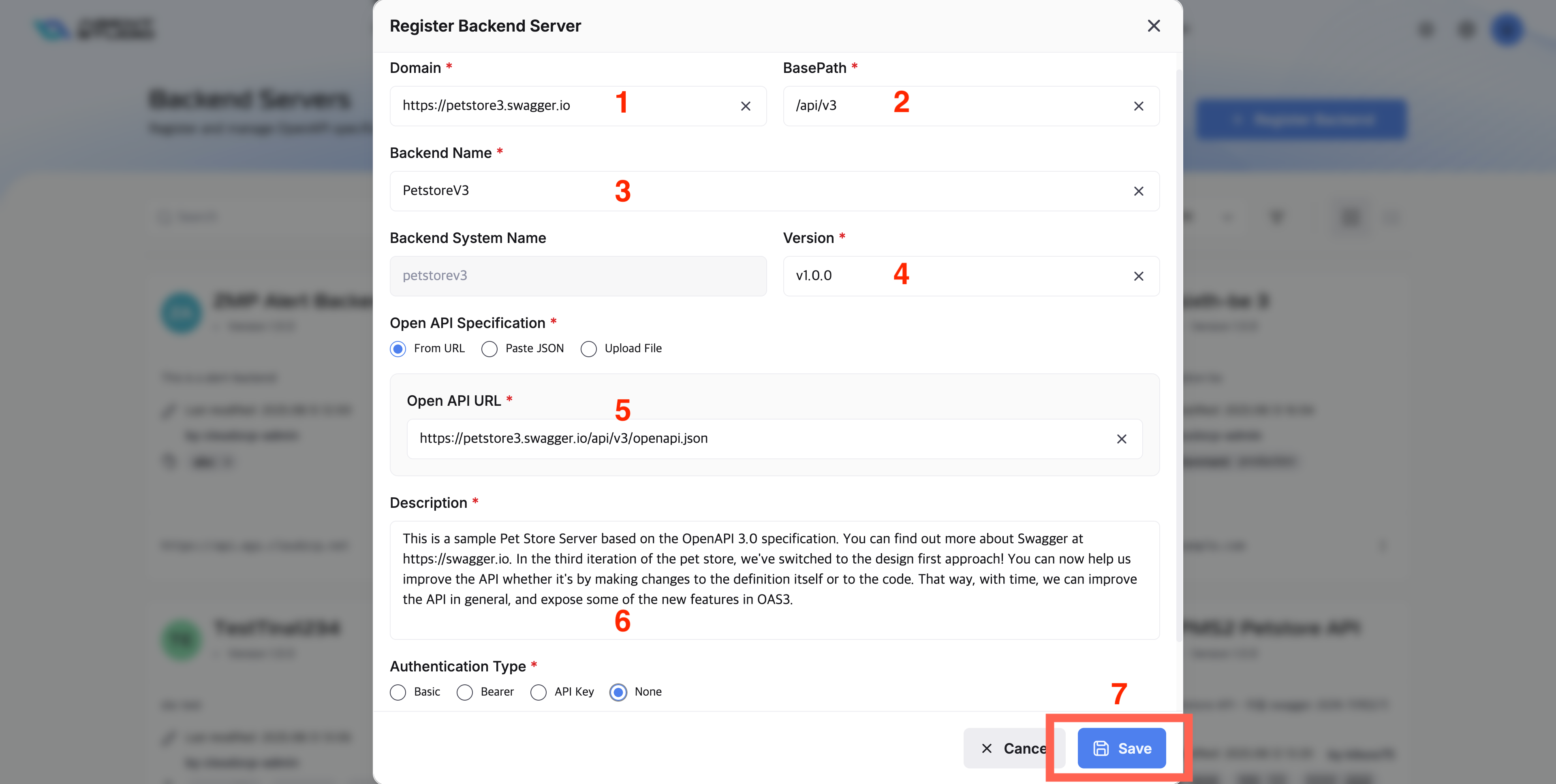
- Domain: Enter the root domain or base URL of your backend server (e.g.,
https://petstore3.swagger.io). - BasePath: Specify the base path for your API endpoints (e.g.,
/api/v3). - Backend Name: Choose a unique name for this backend (e.g.,
PetstoreV3). This helps you identify the backend in your server list. - Version: Specify the API version (e.g.,
v1.0.0). - Open API Specification: You can provide your API specification in one of three ways:
- From URL: Paste the link to your OpenAPI/Swagger spec (e.g., https://petstore3.swagger.io/openapi.json)
- Paste JSON: Paste the JSON text of your OpenAPI specification.
- Upload File: Upload a Swagger/OpenAPI file (JSON or YAML).
- Description: Write a short description explaining the API’s purpose and features.
- Authentication Type: Select the type of authentication required by this backend server:
- Basic: Requires a username and password for authentication.
- Bearer: Requires a bearer token (such as a JWT) in the Authorization header.
- API Key: Requires a specific API key to be sent, typically in the request headers or query parameters.
- None: The API is public and requires no authentication credentials for access.
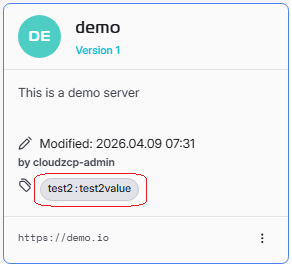
- Label: Add as much labels as necessary for filtering purpose. The label then be displayed on each card on screen Backend Servers listing.
- After filling out all fields and confirming the information is correct, click the Save button. If you wish to cancel, click the Cancel button.
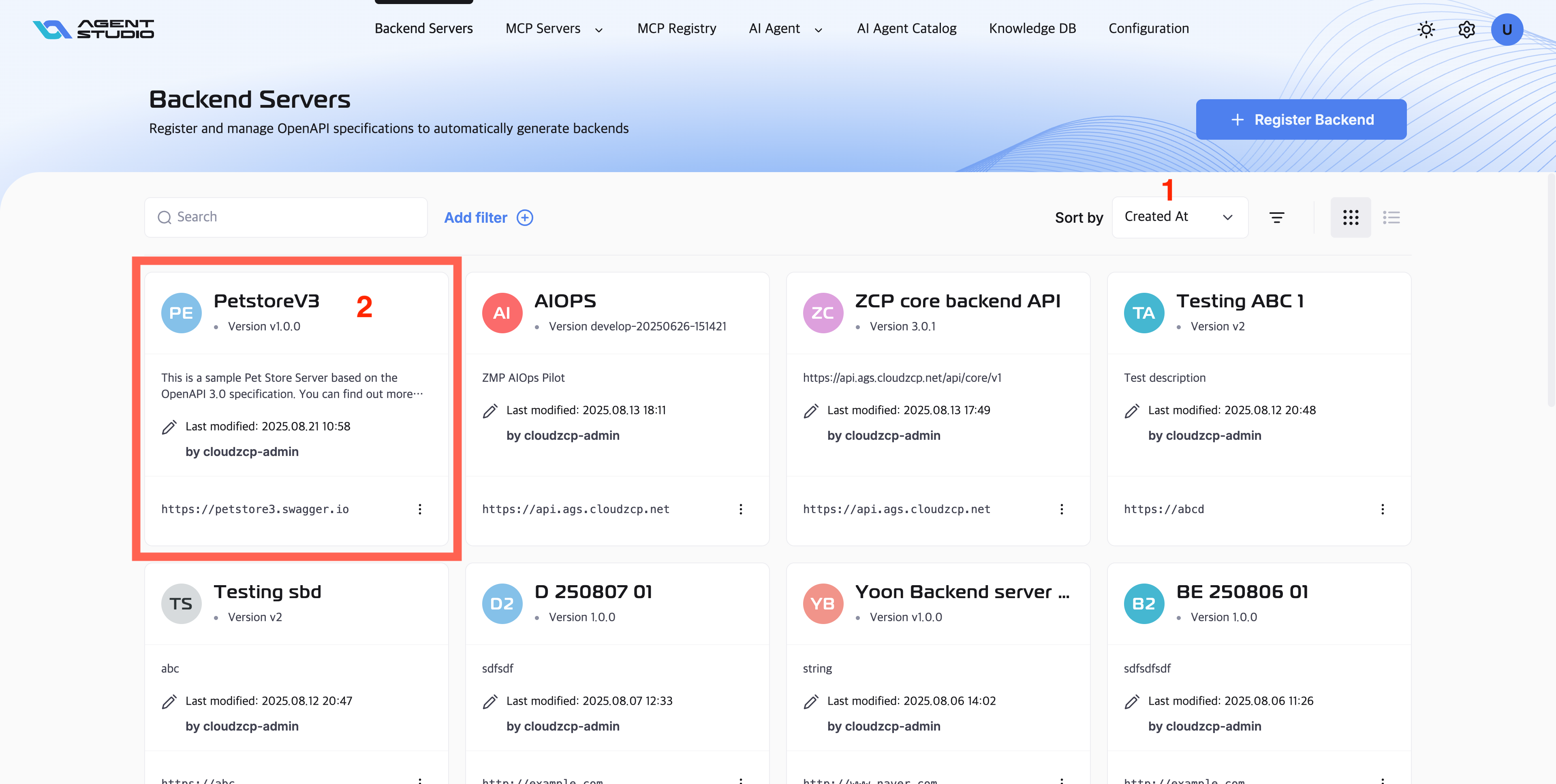
After saving the registration successfully, your new backend API will appear in the Backend Servers list. You can choose Sort by "Created At" to find your newly created backend API and review the details to ensure everything is correct:
提示
- Double-check the OpenAPI specification for accuracy.
- Use clear names and descriptions for easy identification.
- Make sure the authentication type matches your backend security requirements.