メインコンテンツまでスキップ

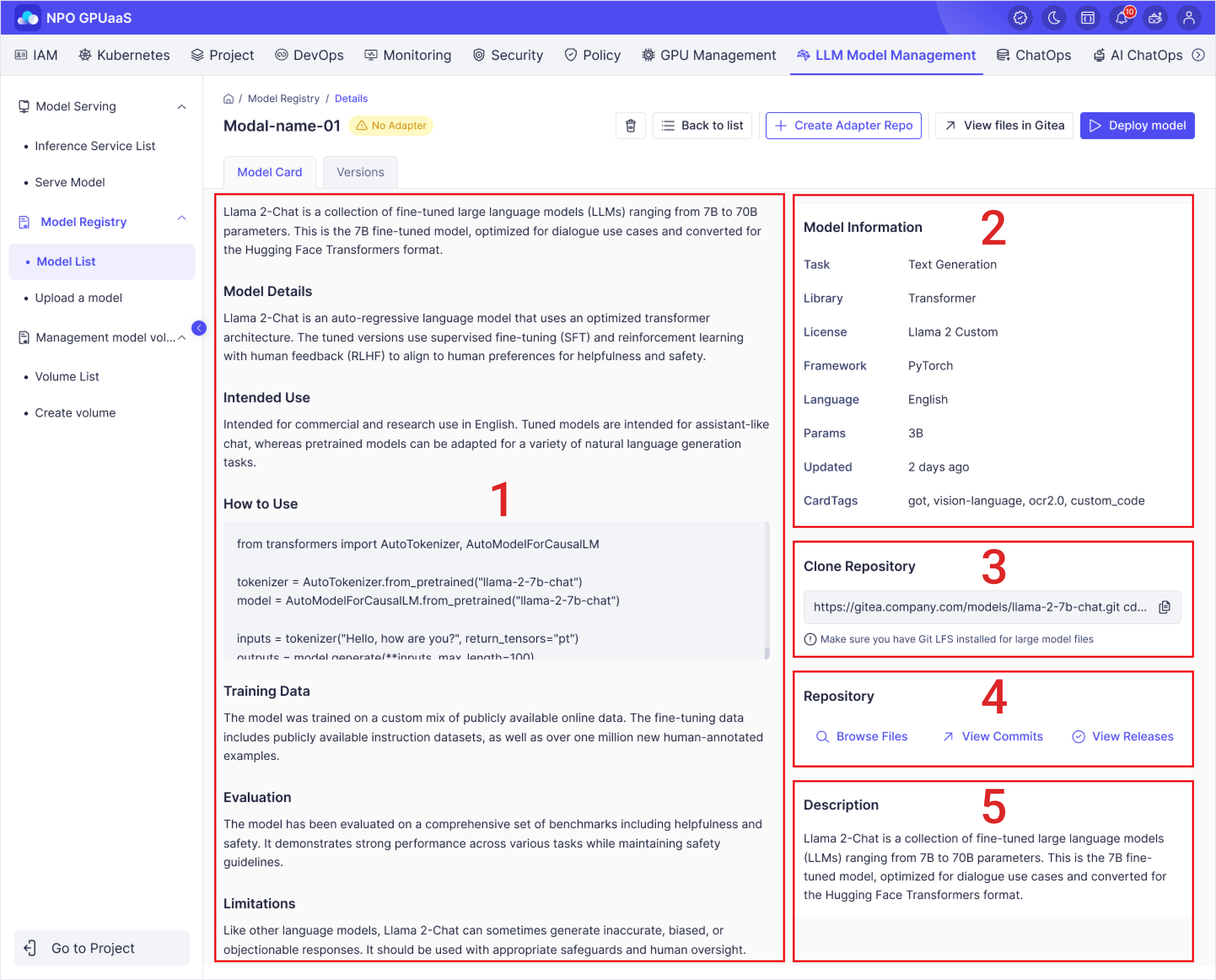
Model Card Tab

â‘  Model Overview

â‘¡ Model Information - Key metadata of the model

â‘¢ Clone Repository - Git repository URL of the model

④ Repository - Quick access to the model’s Git repository

⑤ Description - High-level description of the model

Model Overview

This section provides an overview of the model, as well as installation instructions, usage guidelines, contributor information, and other relevant details.

Model Information

This section displays key metadata of the model, including its task, framework, license, size, and other related attributes:

  • **Task: **Provide information to help users identify the function or purpose of the model.
  • Library: Indicate the library used by the model.
  • License: Define the usage license and legal terms under which the model can be used or distributed.
  • Framework: Display the framework information of the model.
  • Language: Display the primary language that the model supports or is optimized for.
  • Params: Display the size of the model based on the number of parameters
  • Updated: Display the last time the model was updated.
  • Card Tags: Displays the list of tags associated with the model.

Clone Repository

This section provides the Git repository URL of the model, allowing users to clone the repository to access the model’s source code and related files.

Repository

This section provides quick access to the model’s Git repository, allowing users to browse files, view commit history, and check released versions of the model.

  • **Browse Files: **Allows users to browse the directory structure and files within the model’s repository.
  • **View Commits: **Displays the commit history of the repository.
  • **View Releases: **Displays the released versions (tags/releases) of the model.

Description

This section provides a high-level description of the model, including its type, scale, optimization purpose, and general characteristics.

Versions Tab

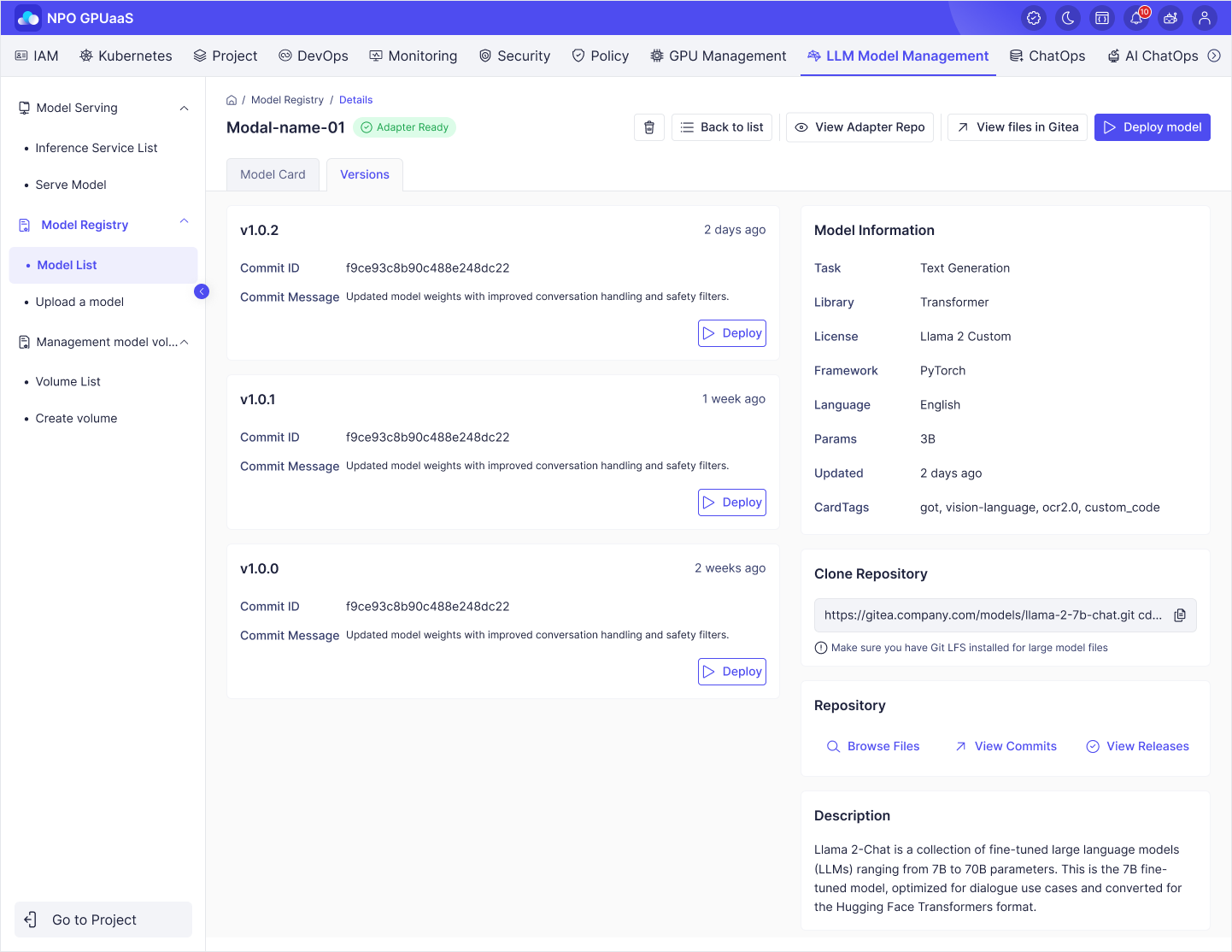
This tab displays information about the versions of the model.

Displayed information:

  • Version: Version ID
  • Updated Date: Display date time when the version was created or last updated.
  • Commit ID: ID of commit
  • Commit Message: A short description that explains the changes introduced in a specific commit.

Deploy button: Allows users to deploy the selected version of the model.

Action Menu

Delete Model

This function allows users to delete the corresponding model.

Create Adapter Repo

  • This function allows users to create a Git repository that contains adapter code used to integrate, run, and deploy the model within the system.
  • Only displays when the model does not have an adapter repository yet.
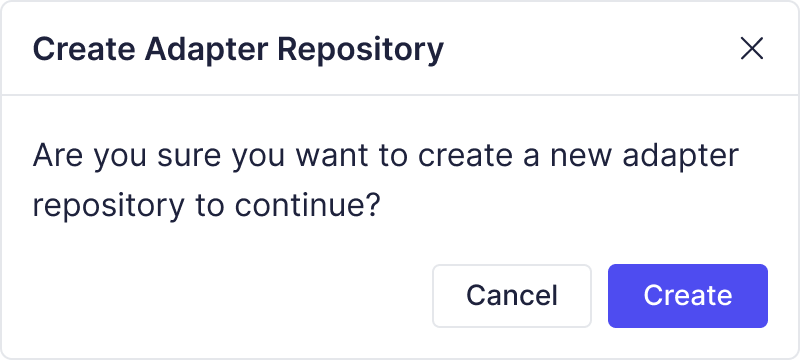
  • When clicked, a confirmation popup is displayed. The user clicks “Create” to confirm creating the Adapter Repo:

View Adapter Repo

  • When clicked, it opens the adapter repository in a new tab.
  • Only displays when the model already has an adapter repository.

View files in Gitea

This function allows users to view the source files and scripts of the model stored in the corresponding Gitea repository.

Deploy model

  • This function allows users to start deploying model.
  • When clicked, the system navigates to the Deploy Model screen.