API Default Policy Configuration
What is API Default Policy?
Set common API policies to be applied by default when a new API is created.
It can include rules such as: Rate limiting, IP restriction, CORS settings, Request/response transformations, and so on…
This helps consistency and security across all APIs in the project.
Only the administrator(apim-admin) who manages the project can configure default policies.
For APIs that were already created before the default policy was changed, the new default policy will not be applied. This is because changing policies for APIs already in use may cause their functionality to not operate normally.
How to configure API Default Policy?
After successfully creating the Project and Gateway, administrator needs to access the API Default Policy from the APIM Console menu bar.
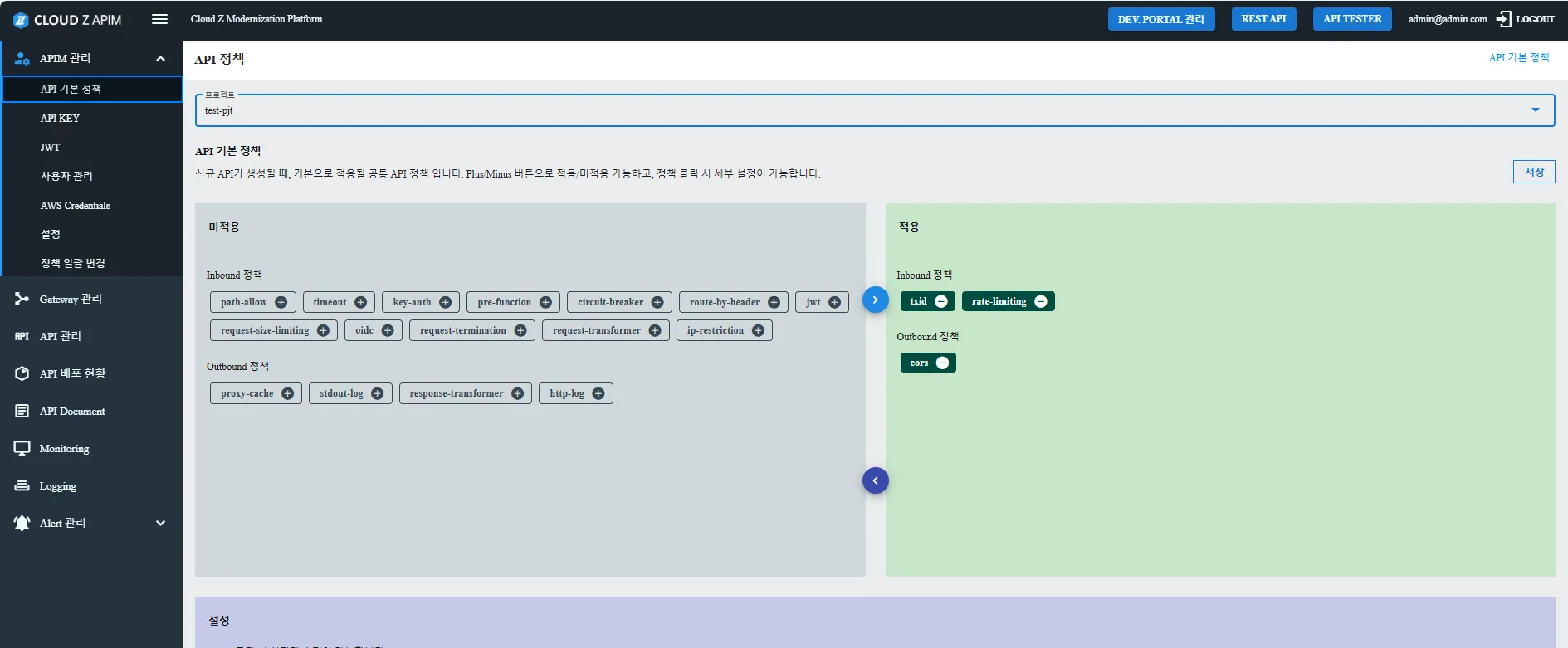
From here, you can select the project that needs to set default policy and apply one or many policies for the project. There are 2 types of policy: Inbound and Outbound. Each policy will require a different configuration to be applied to the project. For more details on how to configure each policy, please refer to API Policy Guide.
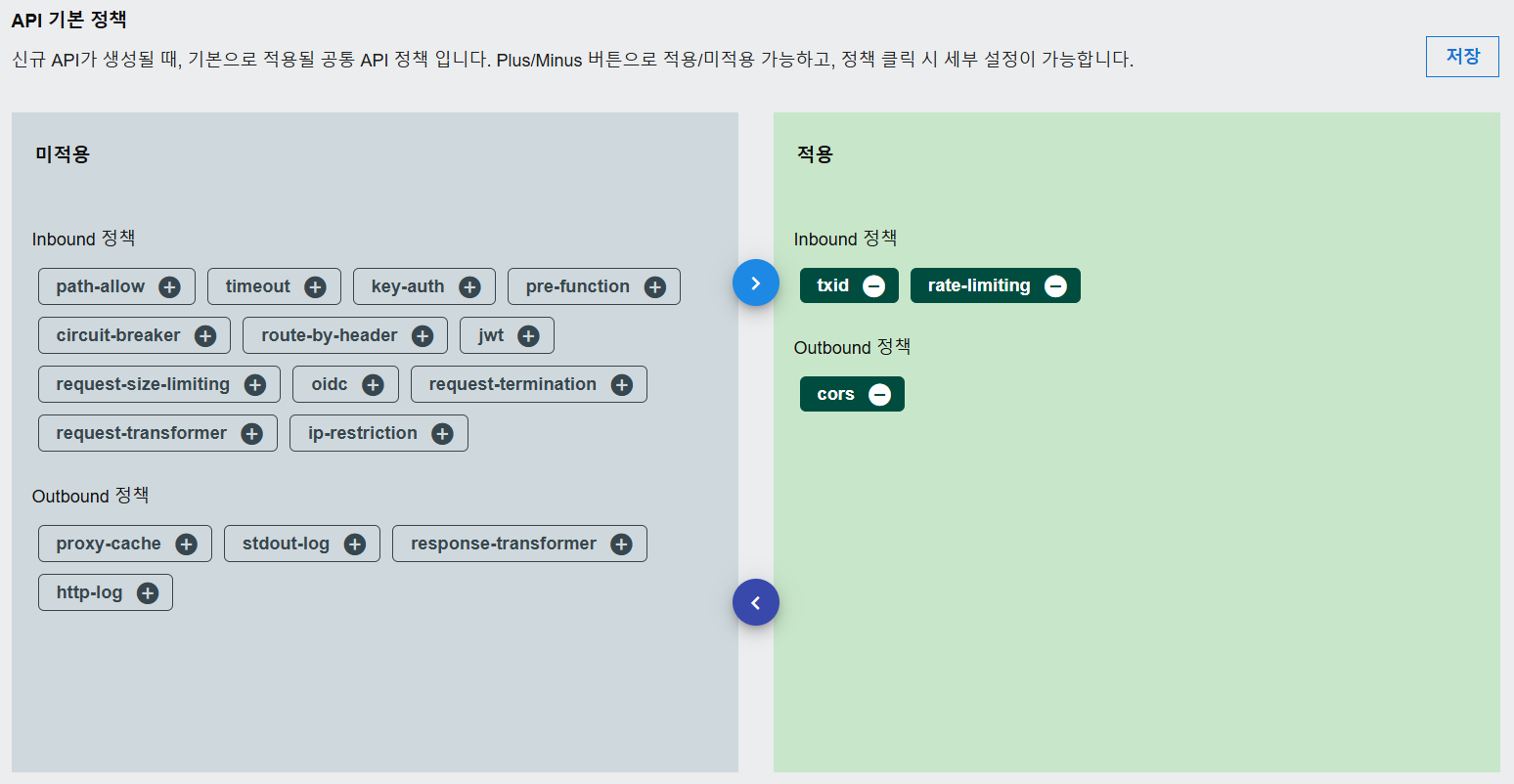
These policy rules will be automatically applied when a user creates a new API. You can still override or customize policies on individual APIs later if needed.
Now that the project and gateway are ready, you can move on to user onboarding and authorization.