View an MCP Server Registry Details
The MCP Registry Details page provides a comprehensive overview of a registered MCP instance. This page helps users understand the available tools (API endpoints), configuration details, and the type of registry (internal or external).
External Registry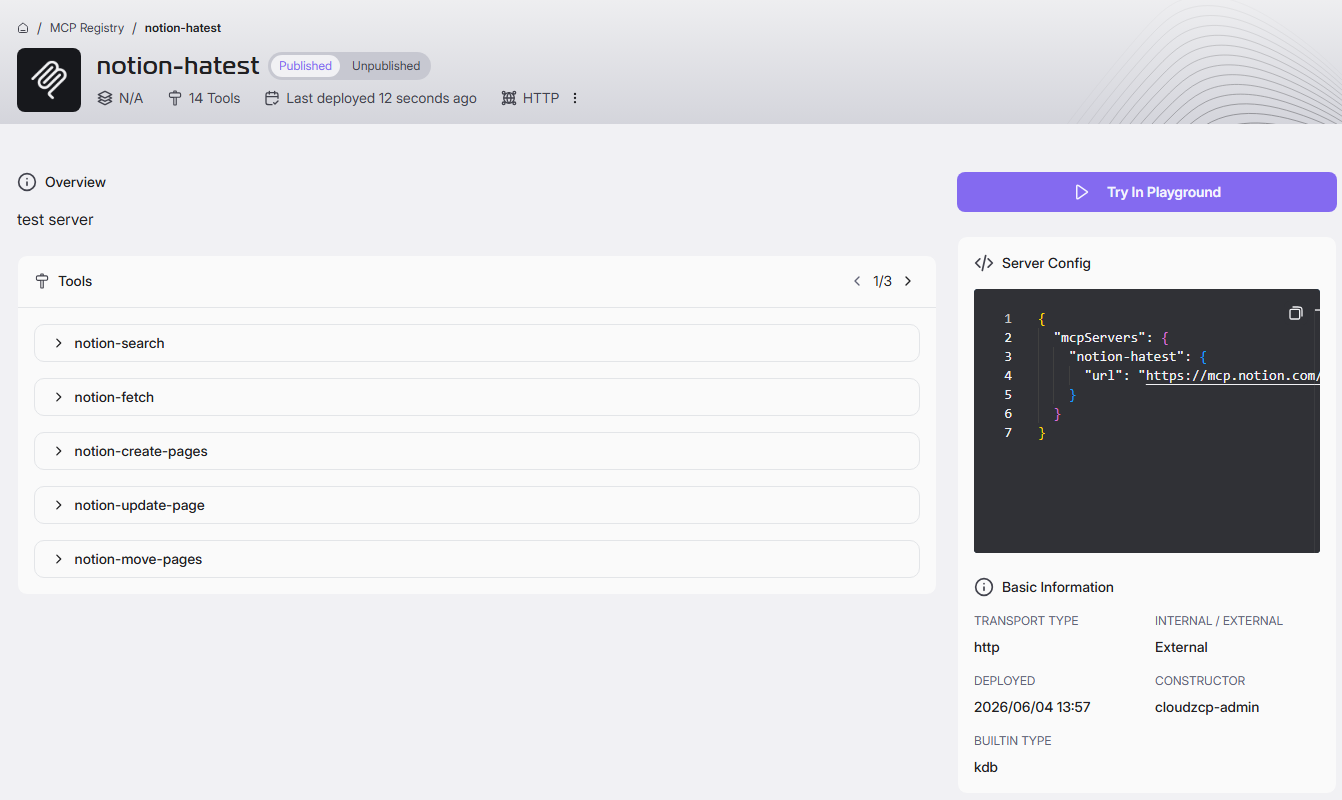
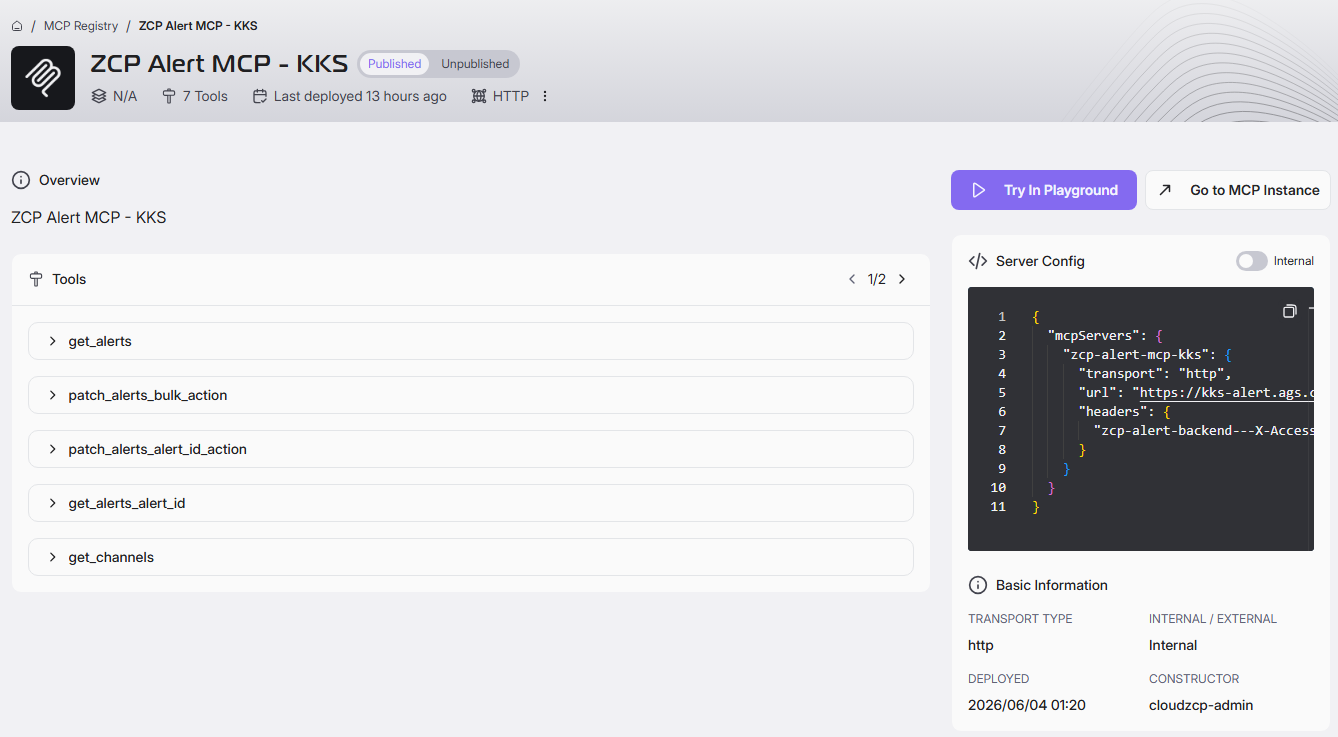
Understand the Details of an MCP Registry
1. Page Header
| Field | Description |
|---|---|
| Registry Name & Icon | The page displays the name and icon/logo of the MCP instance |
| Status | Indicates whether the registry is Published or Unpublished. |
| Version | Shows the current version (e.g., v1). |
| Tools Count | Displays the number of available tools or endpoints. |
| Last Deployed | Shows when the registry was last updated or deployed. |
| Transport Type | Indicates the communication method (e.g., "Standard Input/Output" or "HTTP"). |
2. Overview Section
| Field | Description |
|---|---|
| Overview | Briefly explains the purpose and main features of the MCP instance. This retrieved from Description inputted when publish MCP Server. |
3. Tools (API Endpoints) Section
| Field | Description |
|---|---|
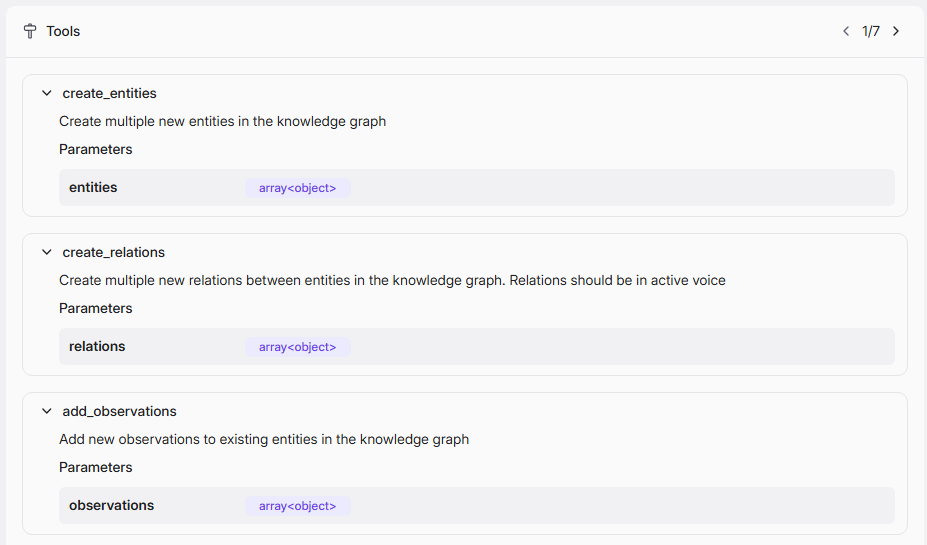
| List of Tools | Displays all available API endpoints for the MCP instance. |
| Tool Details | Click on the expand icon to view the endpoints details. For each tool, you can view: Name (e.g., slack_list_channels, get_today_meal_campus_cafeteria_seq_meal_type), Description (if available), Parameters (required inputs and types). |
 |
4. Server Config Section
| Field | Description |
|---|---|
| Server Config | This section shows a sample connection configuration in JSON format, including endpoint URL, authentication headers, and other connection details. This helps developers understand how to connect to and use the MCP instance from their applications. |
5. Basic Information Section
| Field | Description |
|---|---|
| Transport Type | Displays the communication protocol |
| Registry Type | Indicates if the registry is Internal or External. Internal Registry: Only accessible within your organization or specific environment. External Registry: Accessible from outside your organization; for public or cross-organization use. |
| Deployed | Shows when the registry was deployed. |
| Constructor | Displays the owner who created this MCP instance |
| Category | Display category |
| Builtin Type | Display Builtin Type if MCP Registry is an External MCP and transport type is HTTP |
6. Action Buttons
- Try in Playground: Allows users to test or experiment with the API endpoints directly from the interface. Refer to MCP Registry > MCP Registry Playground for details.
- Go to MCP Instance: (Available for Internal registries only) Redirects to a more detailed instance management page.