Create and Update KDB
A Knowledge DB (Knowledge Database) in AI refers to a structured or semi-structured repository of information that AI systems query to ground their responses in factual, domain-specific data. Knowledge DB in NPO lets you create and manage knowledge databases that agents can reference during conversations. Upload documents to build a searchable knowledge base powered by vector embeddings.
Create a Knowledge DB
- Navigate to Knowledge DB in NPO Studio.
- Click Create KDB.
- Fill in the required fields and click Save.
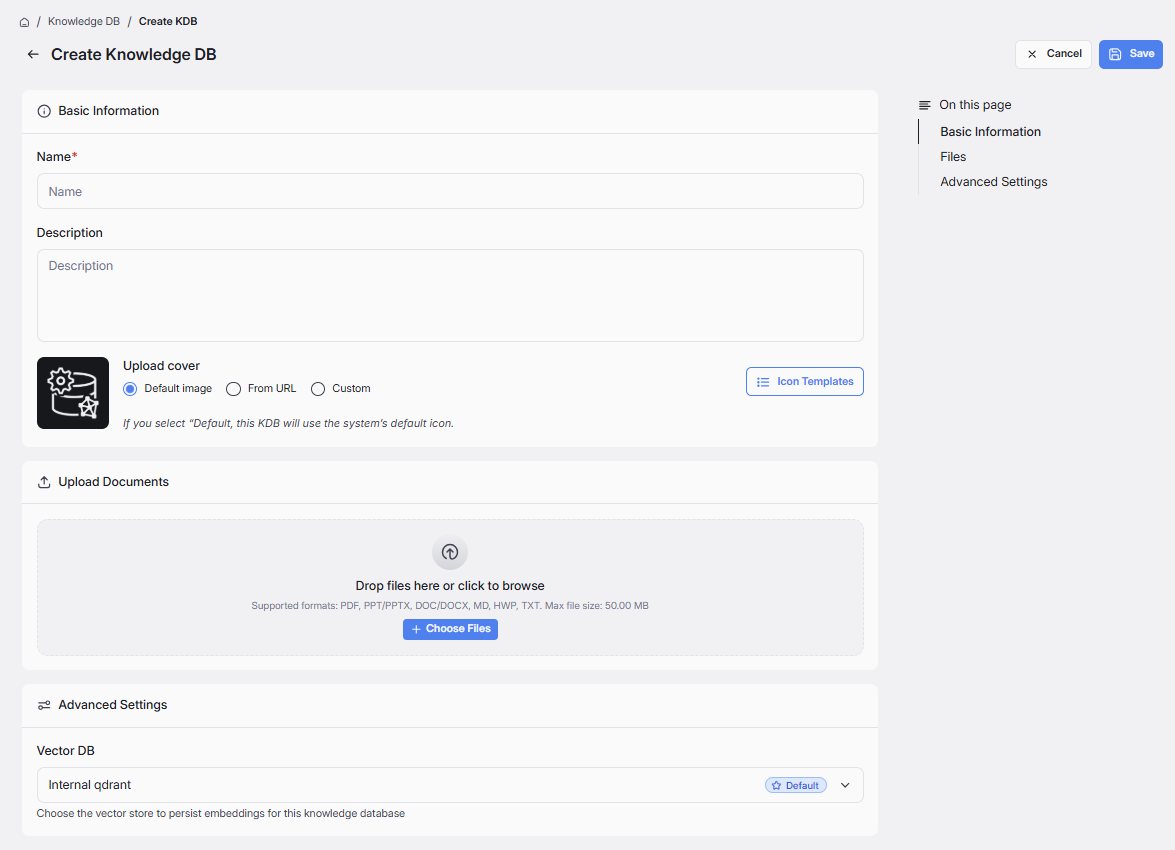
| Field | Required | Description |
|---|---|---|
| Name | Yes | A unique name to identify the knowledge database. |
| Description | No | A brief summary of the knowledge database's purpose or contents. |
| Upload Cover | No | Cover image for the knowledge database. Options: Default image (system default), From URL (provide an image URL), or Custom (upload your own). Use Icon Templates for pre-built icons. |
| Upload Documents | No | Upload documents to populate the knowledge base. Supported format: PDF, PPT/PPTX, DOC/DOCX, MD, HWP, TXT. Drag and drop files or click Choose Files to browse. Uploaded files can be removed individually. |
| Vector DB | No | Select a vector database to persist embeddings for this knowledge database. Found under Advanced Settings. |
If you create a KDB without uploading a document, its status is Draft, and you can’t use Playground or share it. After you create a KDB with a document, its status becomes Activating while the system analyzes the document. Once processing is complete, the status becomes Active, and you can use Playground and share it.
Edit a Knowledge DB
- Open an existing Knowledge DB from the list (Click Knowledge DB on top menu > click (⋮) at each KDB card > click Edit)
- Update fields, upload or remove documents, and adjust settings.
- Click Save.
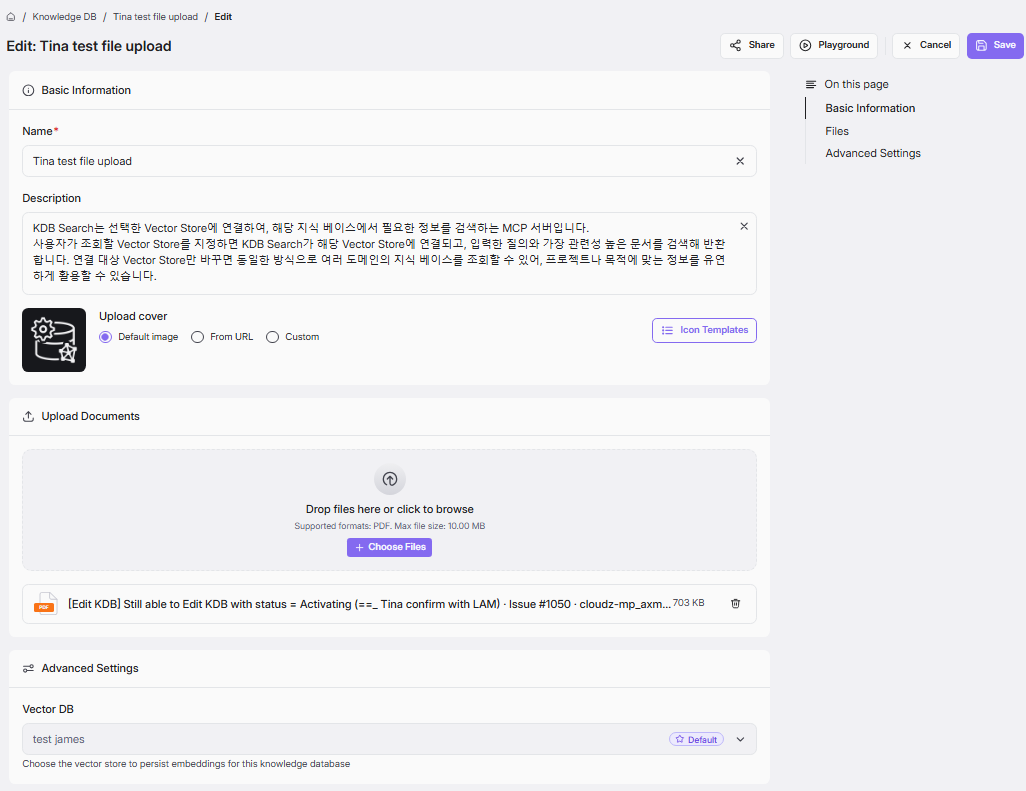
When a KDB’s status is Activating, the system is analyzing the document. While in this status, you can’t edit the KDB until processing finishes and the status becomes Active. You also cannot edit KDB created by others.