Deployment Details
Màn hình này cho phép người dùng xem thông tin chi tiết về việc triển khai mô hình. Nó giúp người dùng hiểu các chi tiết cơ bản về việc triển khai, theo dõi lỗi, theo dõi trạng thái và hiệu suất triển khai, quản lý các hành động vòng đời và nhanh chóng xác định các vấn đề hoạt động.
Tab Tổng quan
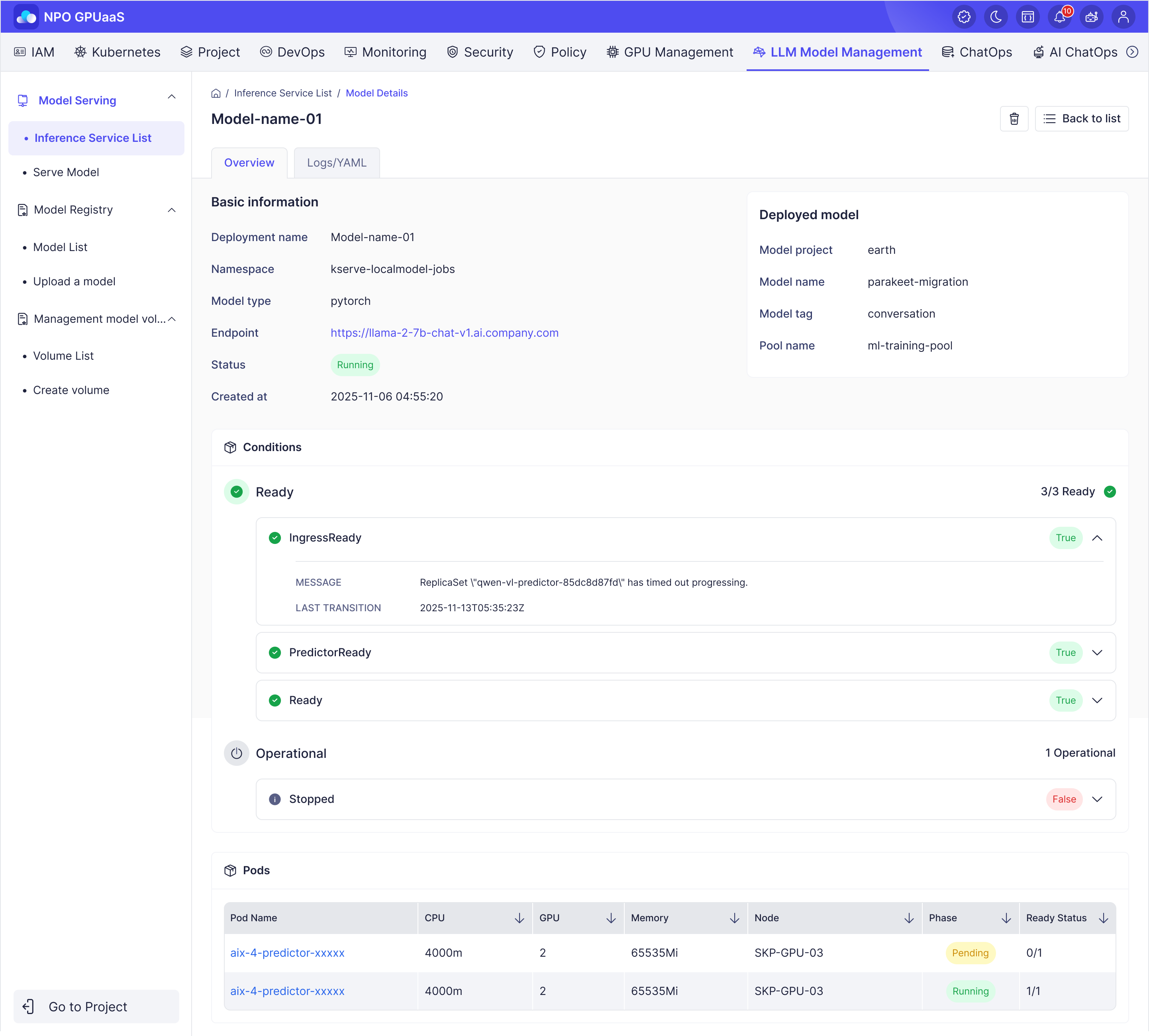
Thông tin cơ bản
Hiển thị thông tin triển khai:
- Inference service name: Tên triển khai
- Namespace: Không gian tên cho việc triển khai
- Framework: Khung phục vụ
- Endpoint: URL của dịch vụ đã triển khai
- Status: Trạng thái của việc triển khai
Mô hình đã triển khai
Hiển thị thông tin Mô hình đã triển khai:
- Model project: Tên dự án
- Model name: Tên của mô hình
- Model tag: Phiên bản (thẻ) của mô hình
- Pool name: Tên của GPU Pool
Điều kiện
Hiển thị các nhóm điều kiện cho phép người dùng xác định trạng thái hoạt động hiện tại của việc triển khai. Trong trường hợp có lỗi, điều này giúp người dùng nhanh chóng xác định và cô lập vấn đề để khắc phục và giải quyết.
Pods
Hiển thị thông tin pod của mô hình để xác định pod nào đang sử dụng mô hình:
- Pod Name: Tên của pod
- CPU Limits: Số lượng tài nguyên CPU tối đa được phân bổ cho pod.
- CPU Requests: Số lượng tài nguyên CPU được yêu cầu bởi pod để lập lịch.
- GPU Spec: Thông số kỹ thuật GPU được gán cho pod
- Memory Limits: Dung lượng bộ nhớ tối đa được phân bổ cho pod.
- Memory Requests: Số lượng bộ nhớ được yêu cầu bởi pod để lập lịch.
- Memory Usage: Mức sử dụng bộ nhớ hiện tại của pod trong thời gian chạy.
- Node: Nút mà pod hiện đang chạy.
- Phase: Trạng thái của pod.
- Ready Status: Chỉ ra trạng thái sẵn sàng của pod, được hiển thị dưới dạng số lượng container sẵn sàng so với tổng số container
Tab YAML
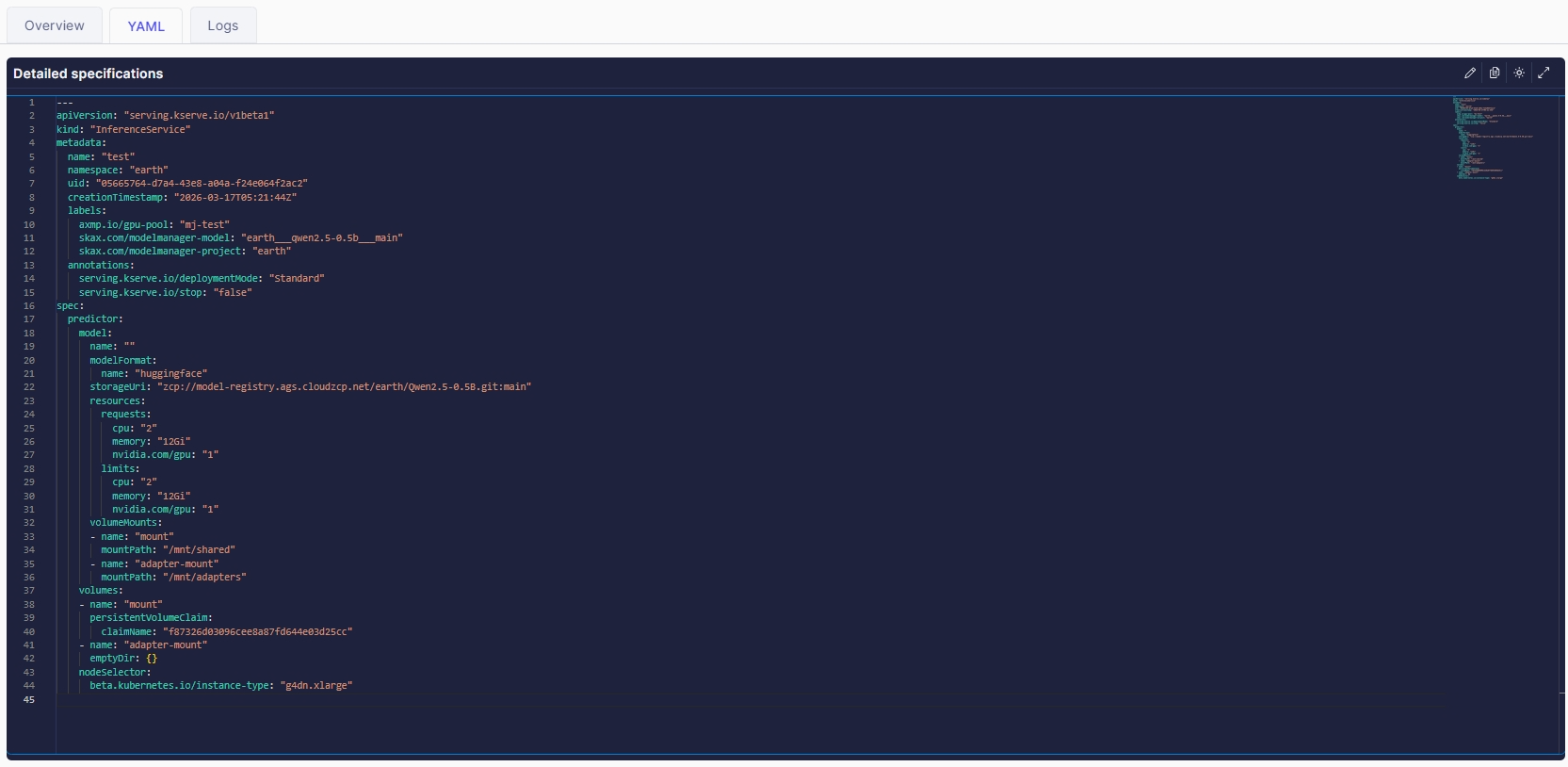
Phần này hiển thị tệp YAML của mỗi lần triển khai mô hình, cho phép người dùng kiểm tra chi tiết cấu hình, phân bổ tài nguyên và siêu dữ liệu liên quan đến mô hình đã triển khai.
Tab Nhật ký
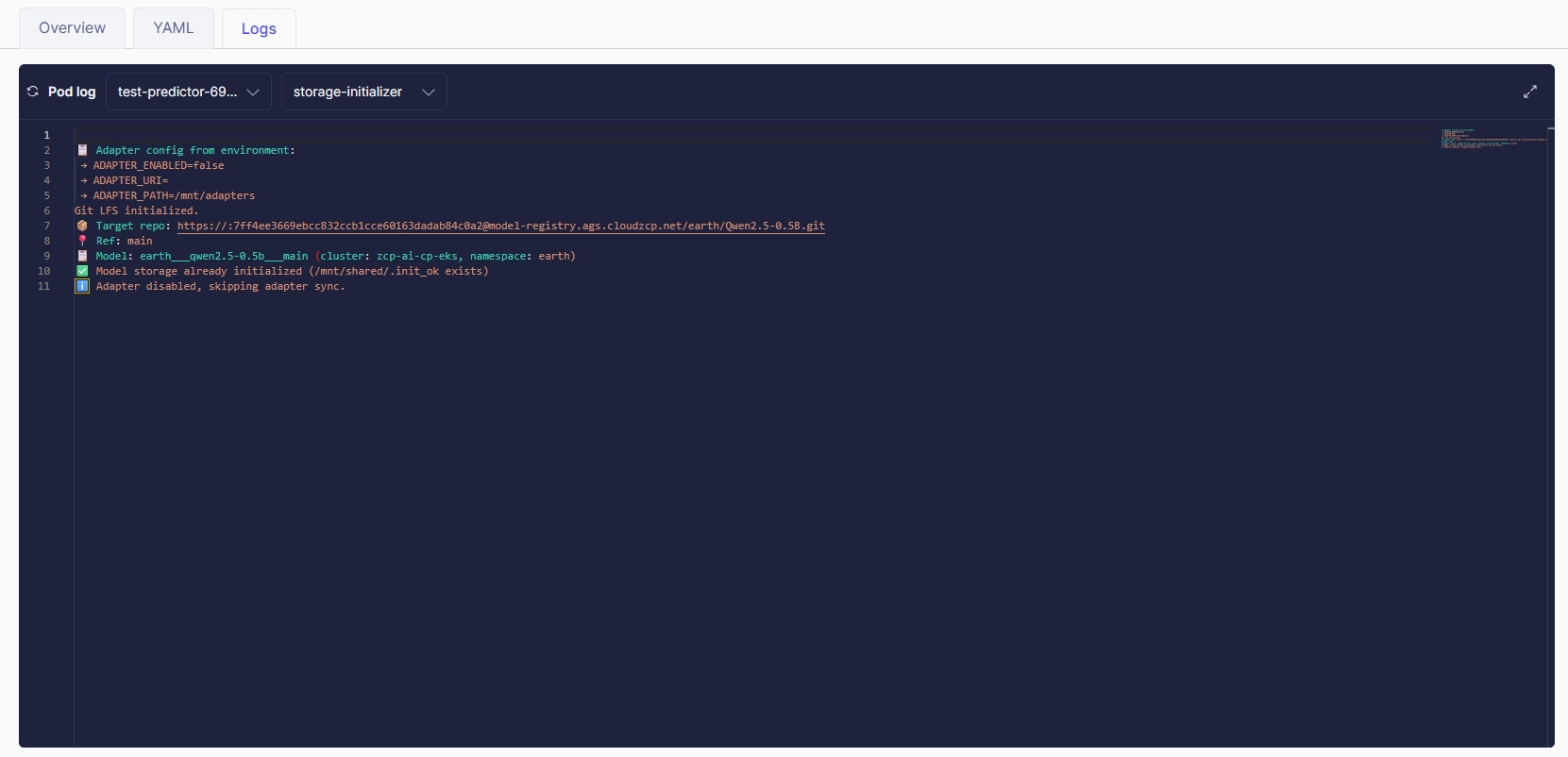
Hiển thị thông tin nhật ký pod để giúp người dùng theo dõi hành vi trong thời gian chạy và chẩn đoán các vấn đề trong quá trình thực thi mô hình.
Người dùng phải chọn một pod và sau đó chọn một container trong pod để xem thông tin nhật ký: