GPU Pool Request
GPUプールリクエスト画面では、ユーザーが作成したプロジェクト内のすべてのGPUプールリクエストを表示、フィルタリング、および管理することができます。この画面は、リクエストのステータスを追跡し、ユーザーが作成したリクエストを効率的に管理するために不可欠です。
GPUリクエストリストにアクセスする
左側のナビゲーションで、GPU Pool Requestsを選択します:
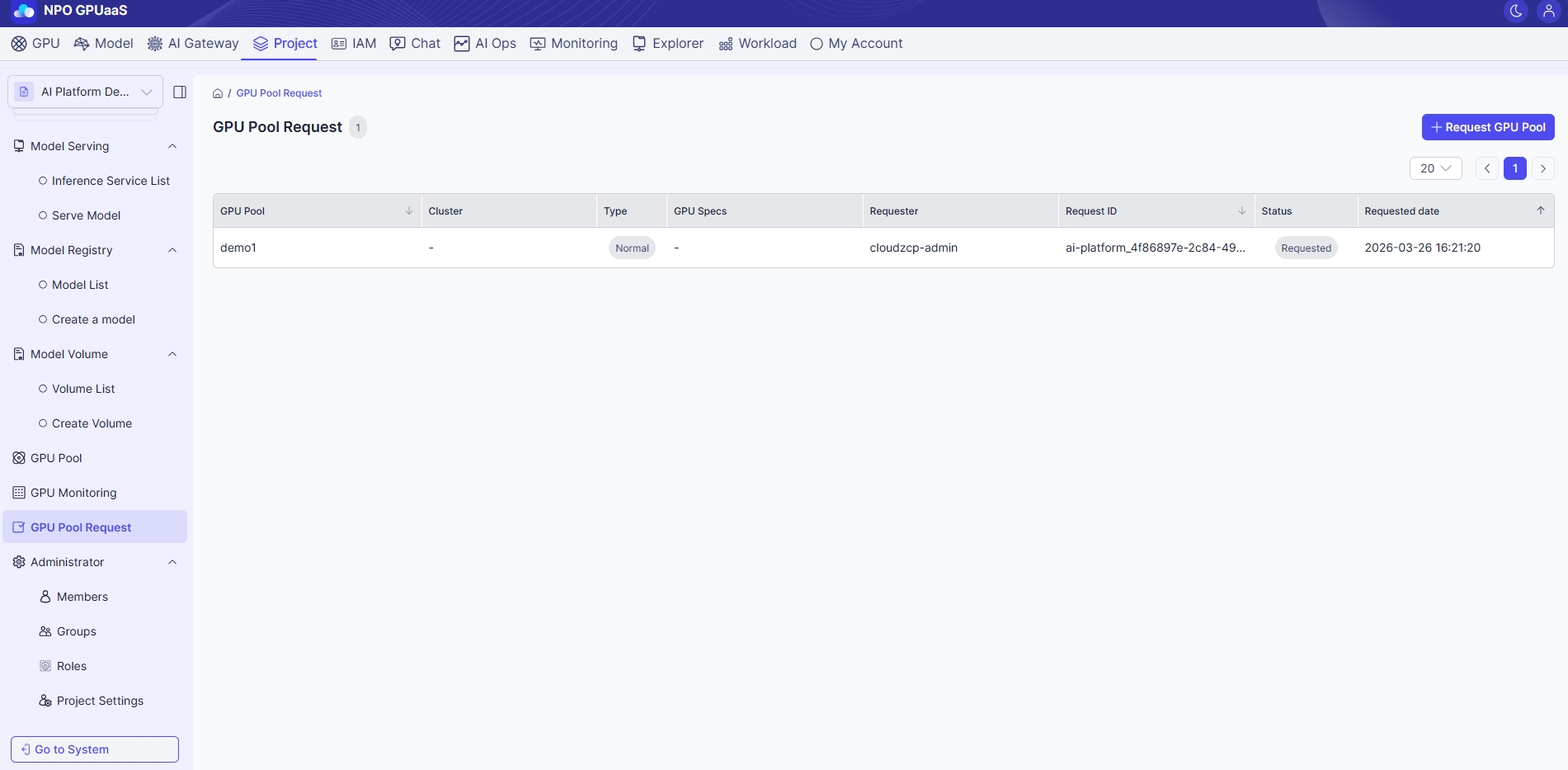
リクエストリストを表示する
このページでは、すべてのGPUプールリクエストをリストしたテーブルを見ることができます。情報は以下を含みます:
- GPU Pool: リクエストされたGPUプールの名前
- Cluster: クラスター情報(該当する場合)
- Type: プールタイプ(例:通常、カスタム)
- GPU Specs: リクエストされたGPUの詳細(例:1g.5gb x1)
- Requester: リクエストを提出したユーザー
- Request ID: リクエストのID
- Status: 現在のステータス(例:リクエスト済み)
- Requested date: リクエストが行われた日時