Create and Update KDB
AÂ Knowledge DBÂ (Knowledge Database) in AI refers to a structured or semi-structured repository of information that AI systems query to ground their responses in factual, domain-specific data. Knowledge DB in NPO lets you create and manage knowledge databases that agents can reference during conversations. Upload documents to build a searchable knowledge base powered by vector embeddings.
Create a Knowledge DB
- Navigate to Knowledge DB in NPO Studio.
- Click Create Knowledge DB.
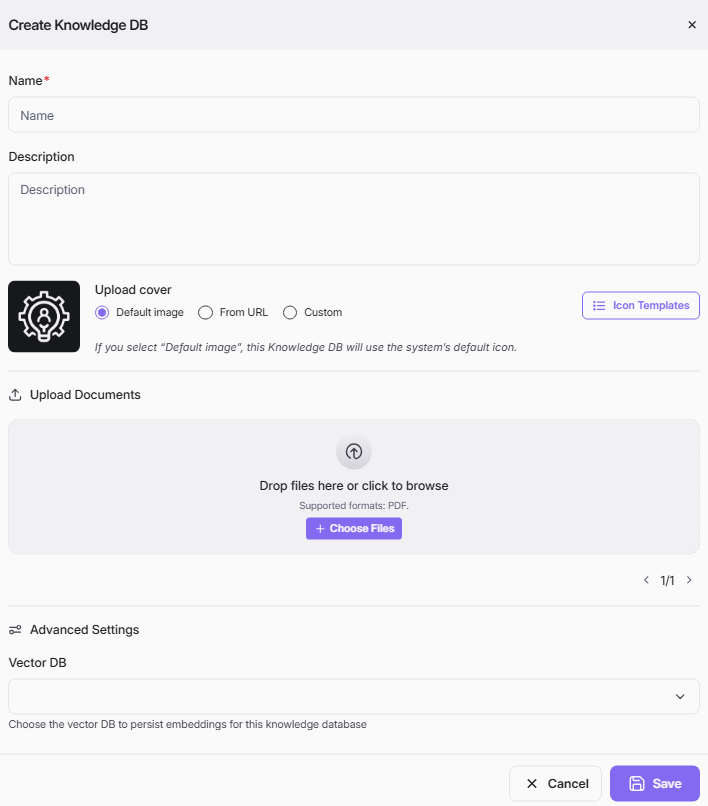
- Fill in the required fields and click Save.
Fields
| Field | Required | Description |
|---|---|---|
| Name | Yes | A unique name to identify the knowledge database. |
| Description | No | A brief summary of the knowledge database's purpose or contents. |
| Upload Cover | No | Cover image for the knowledge database. Options: Default image (system default), From URL (provide an image URL), or Custom (upload your own). Use Icon Templates for pre-built icons. |
| Upload Documents | No | Upload documents to populate the knowledge base. Supported format: PDF. Drag and drop files or click Choose Files to browse. Uploaded files can be removed individually. |
| Vector DB | No | Select a vector database to persist embeddings for this knowledge database. Found under Advanced Settings. |
Edit a Knowledge DB
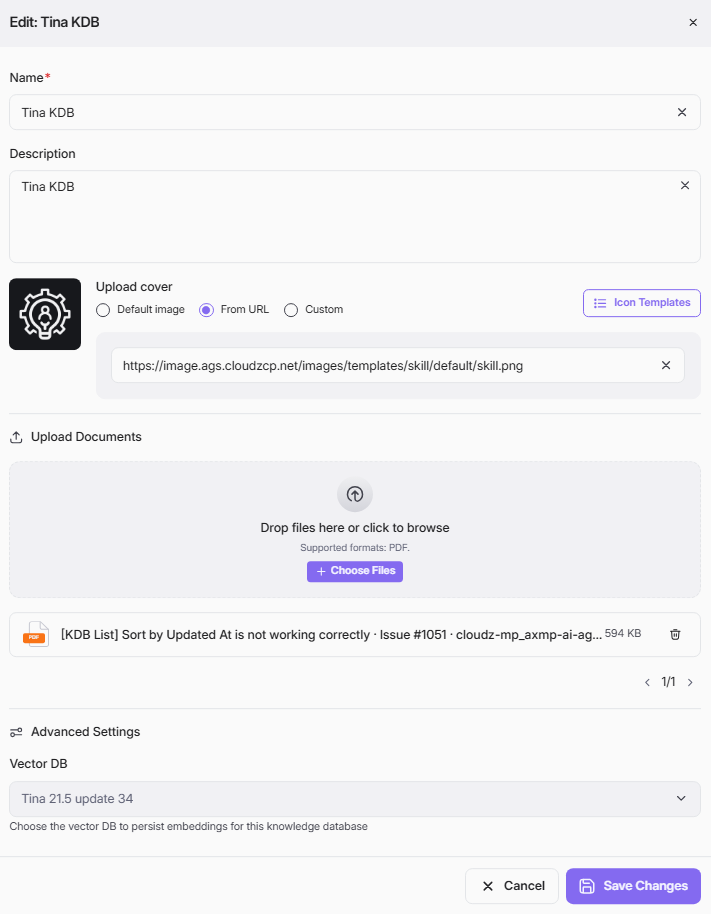
- Open an existing Knowledge DB from the list (Click Knowledge DB on top menu > click vertical ellipsis at each KDB card > click Edit)
- Update fields, upload or remove documents, and adjust settings.
- Click Save Changes.