Gateway Details
Access Gateway Details Screen
From the Gateway List screen, click the Gateway name on a Gateway card/table row to navigate to Gateway Details Screen.
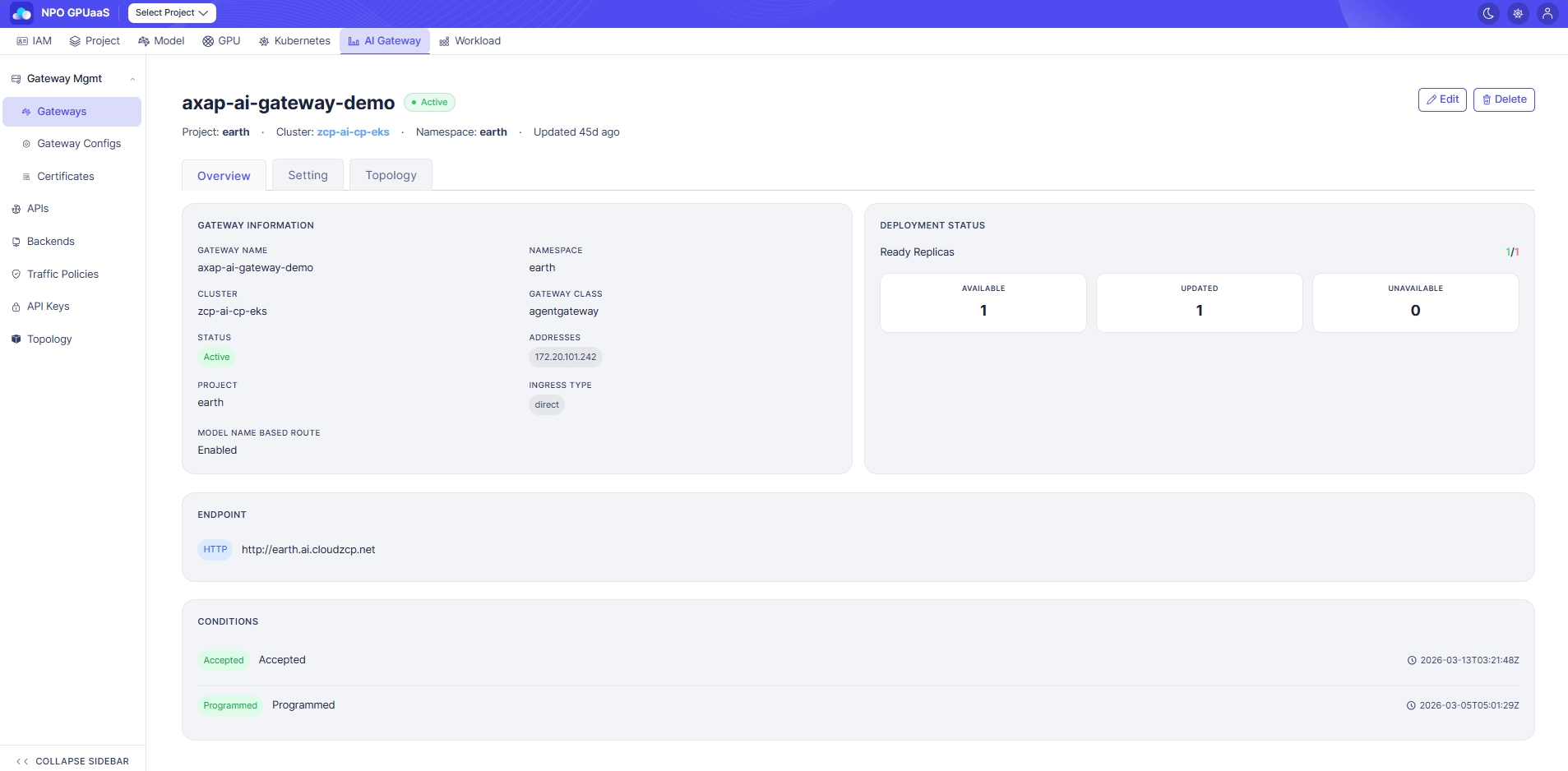
The screen consists of three tabs, each displaying different information related to the gateway:
- Overview (default)
- Setting
- Topology
Overview Tab
Gateway Information
Displays general information of gateway:
- Gateway Name: Resource name
- Namespace: Deployment namespace
- Cluster: Deployment cluster
- Gateway Class: GatewayClass used (e.g., agentgateway)
- Status: Current status badge
- Addresses: Allocated IP list (e.g., 172.20.101.242)
- Project: Associated project
- Ingress Type: (e.g., direct/ Ingress)
- Model Name Based Route: Enable/ Disable
Deployment Status
Displayed information:
- Ready Replicas: Available/total (e.g., 1/3)
- Available: Number of pods operating normally
- Updated: Number of Pods running with the latest spec applied
- Unavailable: Number of abnormal pods
Endpoint
- Shows protocol badge (HTTP/HTTPS) and the entry URL of each listener.
Conditions
- Shows the status conditions of Kubernetes Gateway resource along with timestamps.
Topology Tab
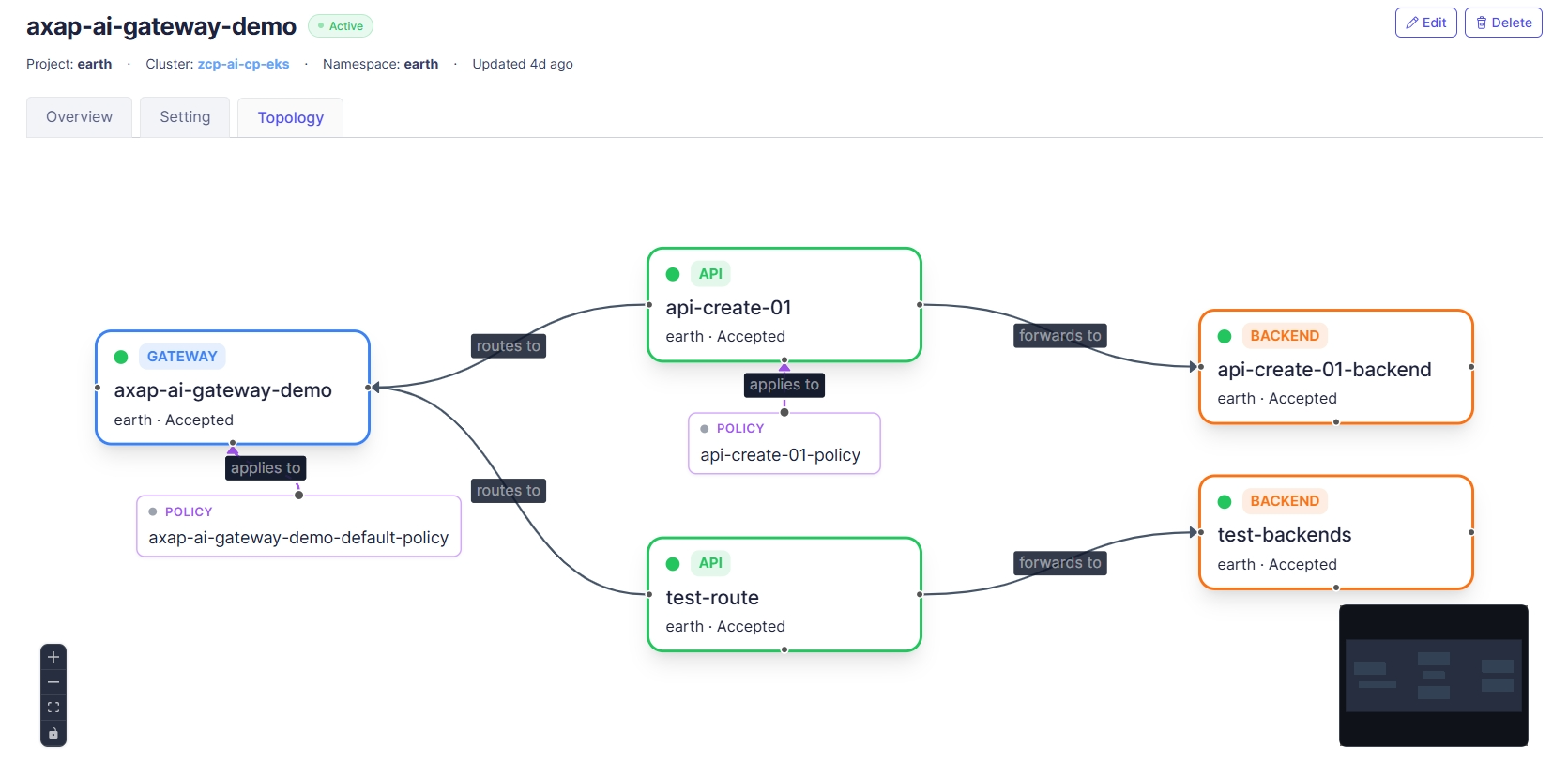
The Topology tab visualizes how the current Gateway is connected to related resources, allowing you to confirm routing and policy relationships at a glance.
Action
Edit
User can click Edit to navigate to Edit Gateway screen. The form is pre-filled with the current Gateway information.
Delete
User can delete a gateway by clicking the Delete button. Upon clicking, a confirmation popup will appear, and users must enter the gateway name to confirm deletion:
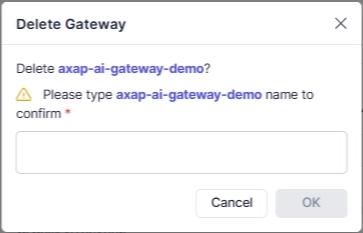
After deletion, redirect to the Gateway List page.