Gateway Config Details
Access Gateway Config Details Screen
From the Gateway Config List screen, click the Config name on a table row to navigate to Gateway Details Screen.
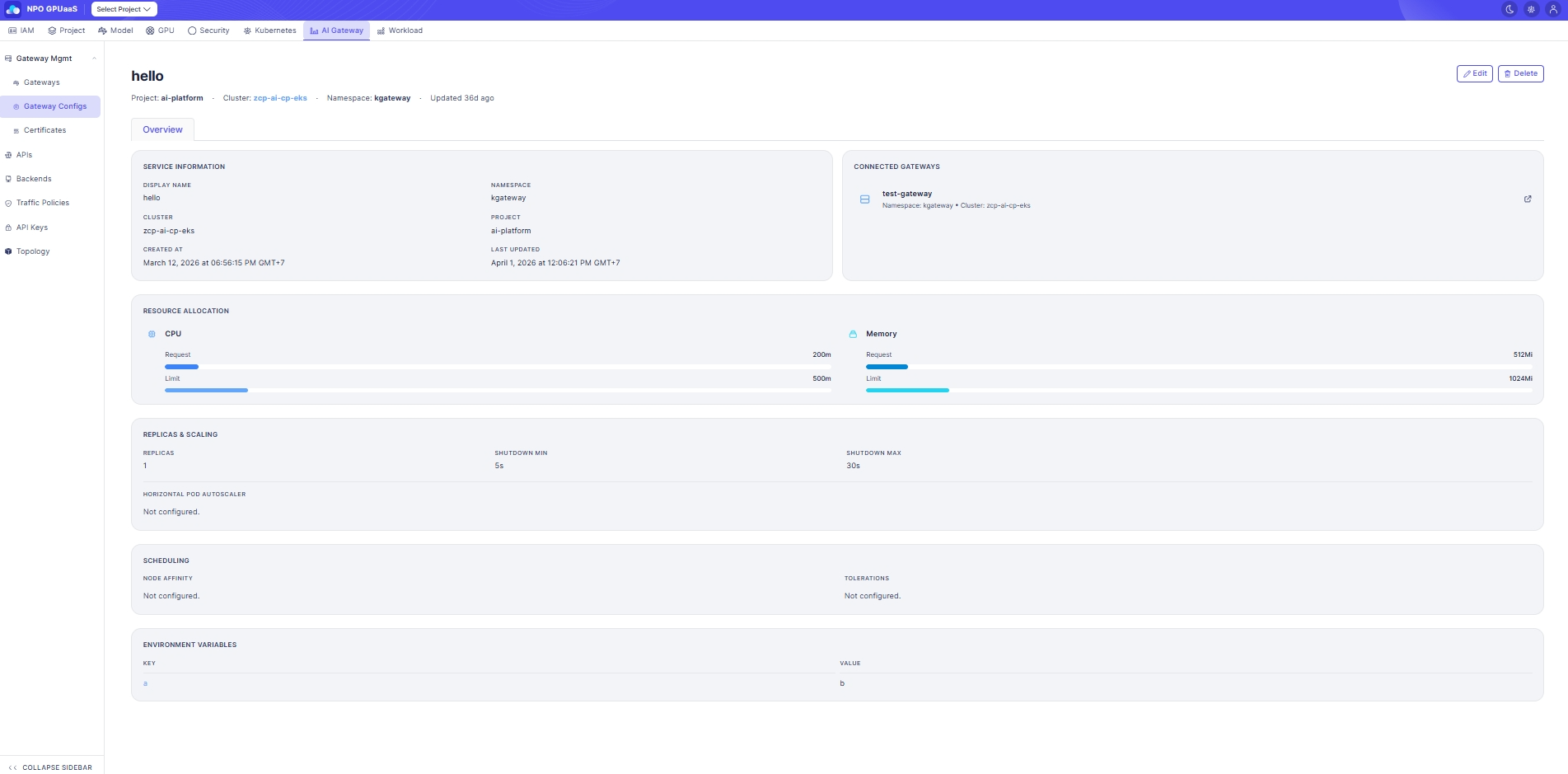
Gateway Config Overview
Displays summary information of the selected Gateway Config: Config Name, Project, Cluster, Namespace, Last updated.
Service Information
Displays general metadata of the Gateway Config:
- Display Name: Display name for the config (same as Config name).
- Cluster: The target Kubernetes cluster for this config.
- Namespace: The target Kubernetes namespace for this config.
- Project: The project associated with this config.
- Created at: Date and time when the config was created.
- Last updated: Date and time when the config was last modified.
Connected Gateways
Displays the list of Gateways currently using this Gateway Config:
- Gateway name: Name of the connected Gateway resource.
- Namespace: Namespace where the connected Gateway is created.
- Cluster: Cluster where the connected Gateway is created.
You can click the external-link icon to open the connected Gateway Details page.
Resource Allocation
Displays CPU/Memory resource configuration:
- CPU Request: Requested CPU.
- CPU Limit: Maximum CPU.
- Memory Request: Requested memory.
- Memory Limit: Maximum memory.
Resource allocation is visualized with bars for quick comparison of Request vs Limit.
Replicas & Scaling
Displays replica configuration and autoscaling status:
- Replicas: Number of replicas to run.
- Shutdown Min: Minimum shutdown timeout (seconds).
- Shutdown Max: Maximum shutdown timeout (seconds).
- Horizontal Pod Autoscaler: Display configured information of Horizontal Pod Autoscaler. If not set, it shows Not configured.
Scheduling
- Node Affinity: Display configured information of Node Affinity. If none, shows Not configured.
- Tolerations: Display configured information of Tolerations. If none, shows Not configured.
Environment Variables
- Key: Environment variable name.
- Value: Environment variable value.
Action
Edit
User can click Edit to navigate to Edit Gateway Config screen. The form is pre-filled with the current Gateway Config information.
Delete
User can delete a gateway config by clicking the Delete button. Upon clicking, a confirmation popup will appear, and users must enter the gateway config name to confirm deletion:
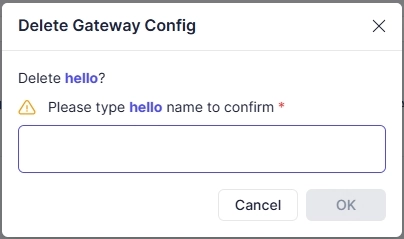
After deletion, redirect to the Gateway Config List page.