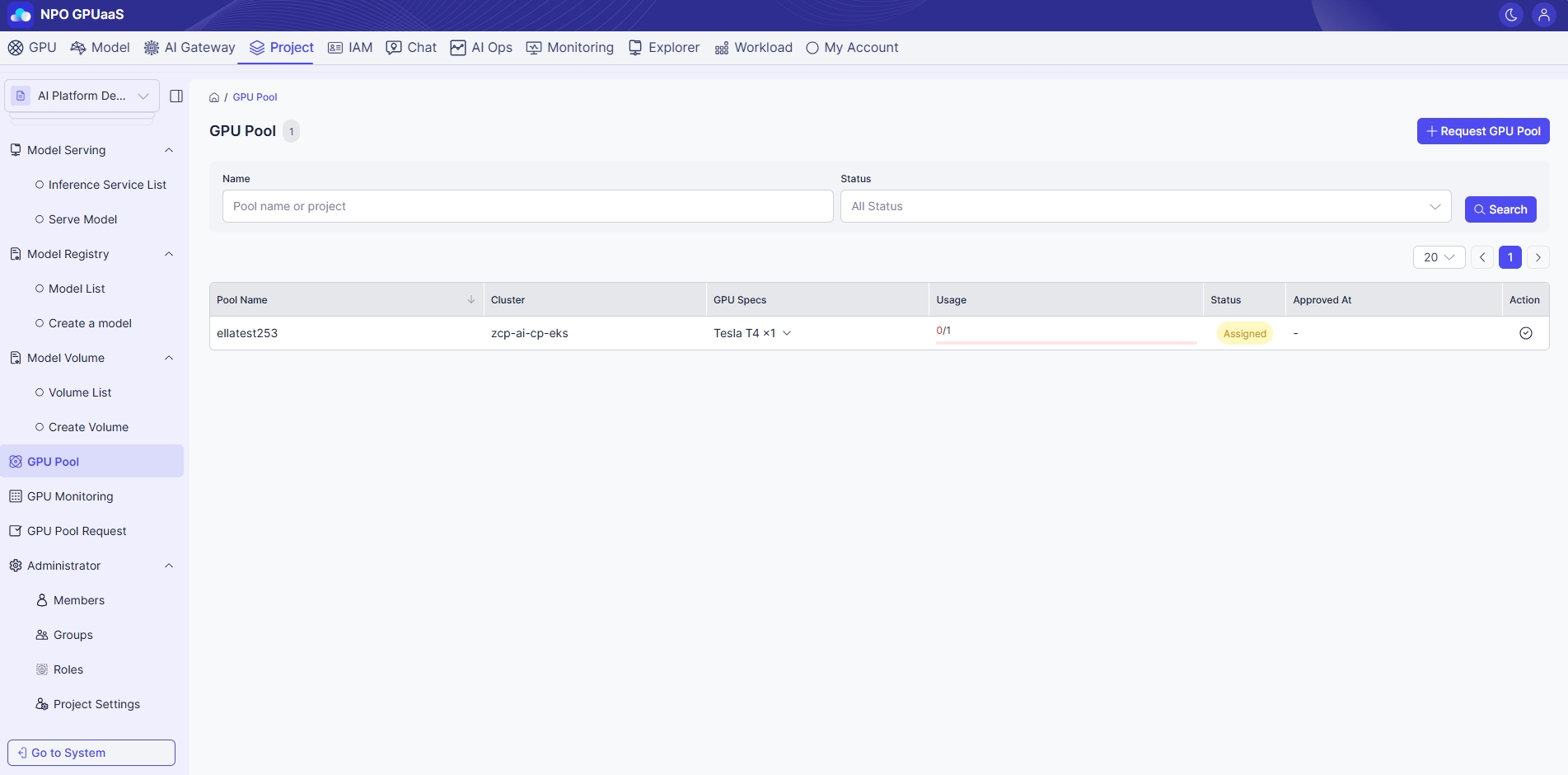
GPU Pool
The GPU Pool screen allows user to view, filter, and manage all GPU pool.
Access GPU Pool List
In the left-side navigation, select GPU Pool:

Search the GPU Pool
You can use the Search function to quickly find specific GPU pool. The search can be done based on the filters below:
- Name:Â Filter by Pool name
- Status: Filter by GPU status (e.g., Available).
After setting your desired filters, click the Search button to refresh the table below.
View GPU Pool List
On this page, you can see a table lists all GPU pool matching your filters (if any). The information including:
- Pool name: Name of the GPU pool
- Project: Associated project name
- GPU Specs: Details of GPU (e.g., 1g.5gb x1)
- Usage:Â Displays total number of GPU in the corresponding GPU Pool and the number of GPU currently in use.
- Status: Current status (e.g., Available)
- Created at: Date and time the pool was created.
Action Menu
Release
Allows users to release GPU Pools that are no longer required.