GPU Pool
Màn hình GPU Pool cho phép người dùng xem, lọc và quản lý tất cả các GPU pool.
Truy cập danh sách GPU Pool
Trong phần điều hướng bên trái, chọn GPU Pool:
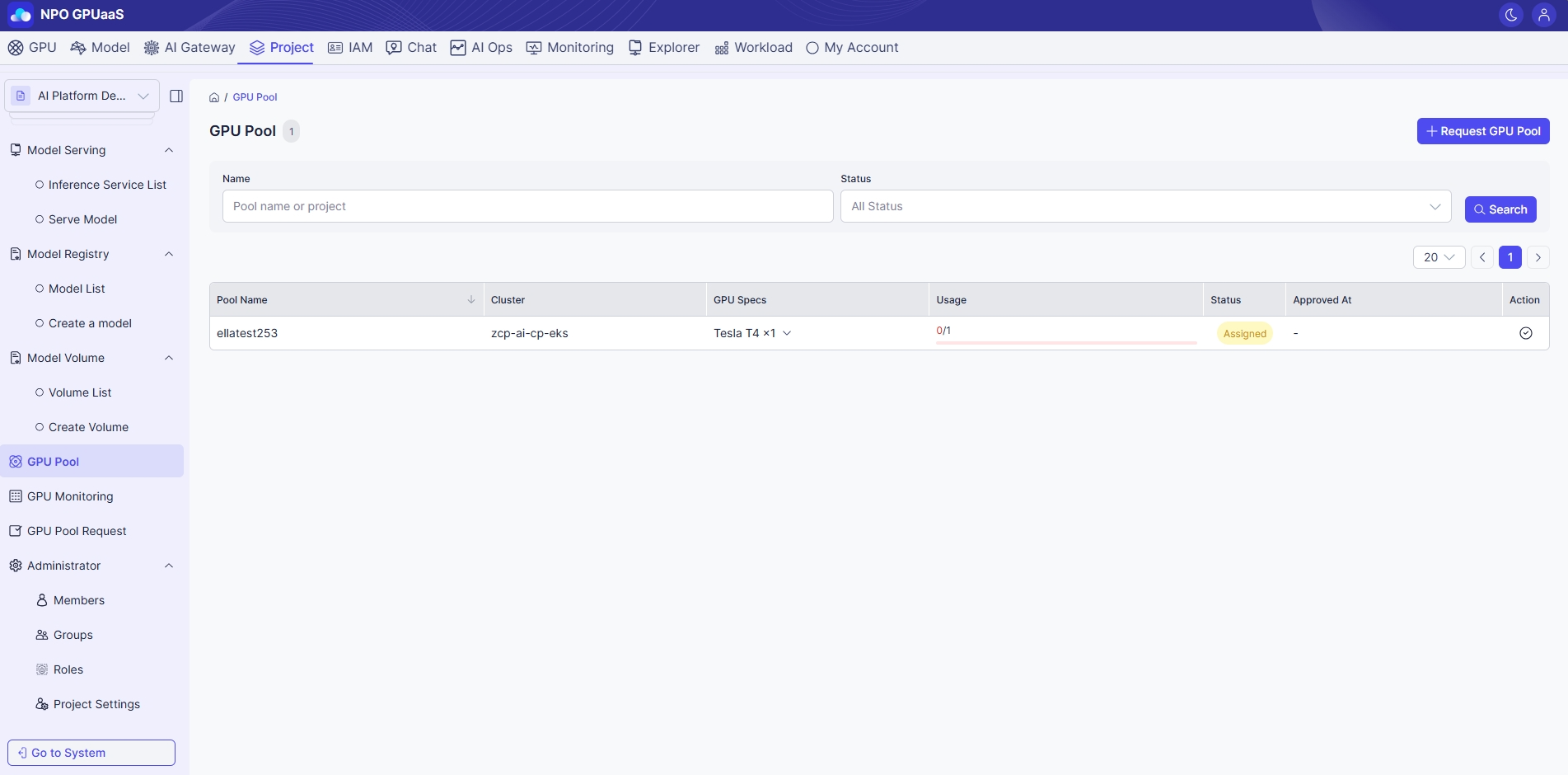
Tìm kiếm GPU Pool
Bạn có thể sử dụng chức năng Search để nhanh chóng tìm GPU pool cụ thể. Việc tìm kiếm có thể được thực hiện dựa trên các bộ lọc dưới đây:
- Name: Lọc theo tên Pool
- Status: Lọc theo trạng thái GPU (ví dụ: Có sẵn).
Sau khi thiết lập các bộ lọc mong muốn, nhấp vào nút Search để làm mới bảng bên dưới.
Xem danh sách GPU Pool
Trên trang này, bạn có thể thấy một bảng liệt kê tất cả GPU pool phù hợp với các bộ lọc của bạn (nếu có). Thông tin bao gồm:
- Pool name: Tên của GPU pool
- Project: Tên dự án liên kết
- GPU Specs: Chi tiết của GPU (ví dụ: 1g.5gb x1)
- Usage: Hiển thị tổng số GPU trong GPU Pool tương ứng và số GPU hiện đang được sử dụng.
- Status: Trạng thái hiện tại (ví dụ: Có sẵn)
- Created at: Ngày và giờ mà pool được tạo ra.
Menu hành động
Giải phóng
Cho phép người dùng giải phóng GPU Pools không còn cần thiết nữa.