TLS Secret List
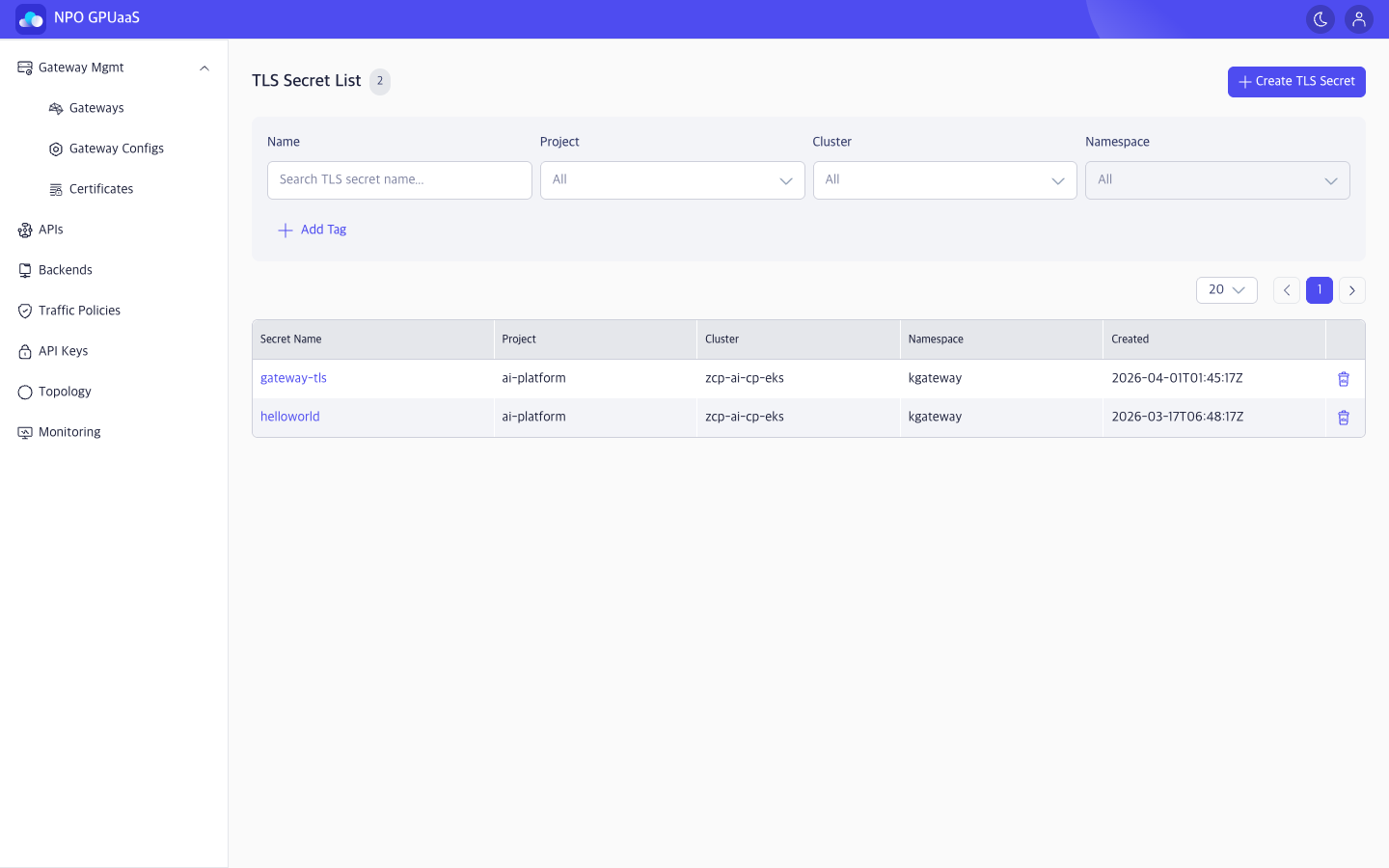
TLS Secret List screen allows users to manage K8s Secrets by registering, rotating, and deleting certificate/private key pairs used for HTTPS endpoints on Gateway Listeners.
Access TLS Secret List Screen
In the left-side navigation, select Gateway Mgmt > Certificates to navigate to TLS Secret List screen.
Search the TLS Secret
You can use the Search function to quickly find specific TLS Secrets:
- Name: Search by TLS Secret name.
- Project: Filter by associated project.
- Cluster: Filter by target cluster.
- Namespace: Filter by Kubernetes namespace.
Search results are displayed immediately after the user enters a keyword or selects a value.
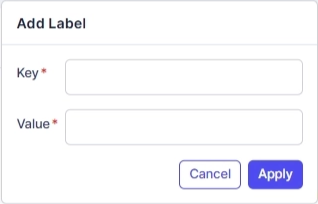
User can click Add Tag to add tag filters. Multiple tags are supported and combined using AND logic:
View TLS Secret List
You can see a table listing all TLS Secrets matching your filters (if any). The information includes:
- Secret Name: Name of the TLS Secret. Click to open the detail page.
- Project: Project the TLS secret belongs to.
- Cluster: Cluster where the secret is deployed.
- Namespace: Namespace where the secret is created.
- Created: Date and time when the volume was created (follow ISO 8601 format)
Action Menu
Create TLS Secret
User can click Create TLS Secret to create a new secret. When clicked, navigates to Create TLS Secret screen.
View Details
User can click the Secret name to open the TLS Secret Details page.
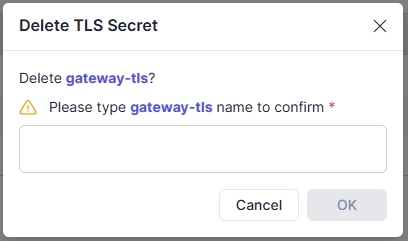
Delete
User can delete a secret by clicking the Trash icon. Upon clicking, a confirmation popup will appear, and users must enter the secret name to confirm deletion: