Share MCP Profile
To share MCP Profile, click the icon people next to Playground button on the right hand side of the screen. The Share dialog opens
Select Sharing Mode
In the sharing dialog, you’ll see three sharing modes:
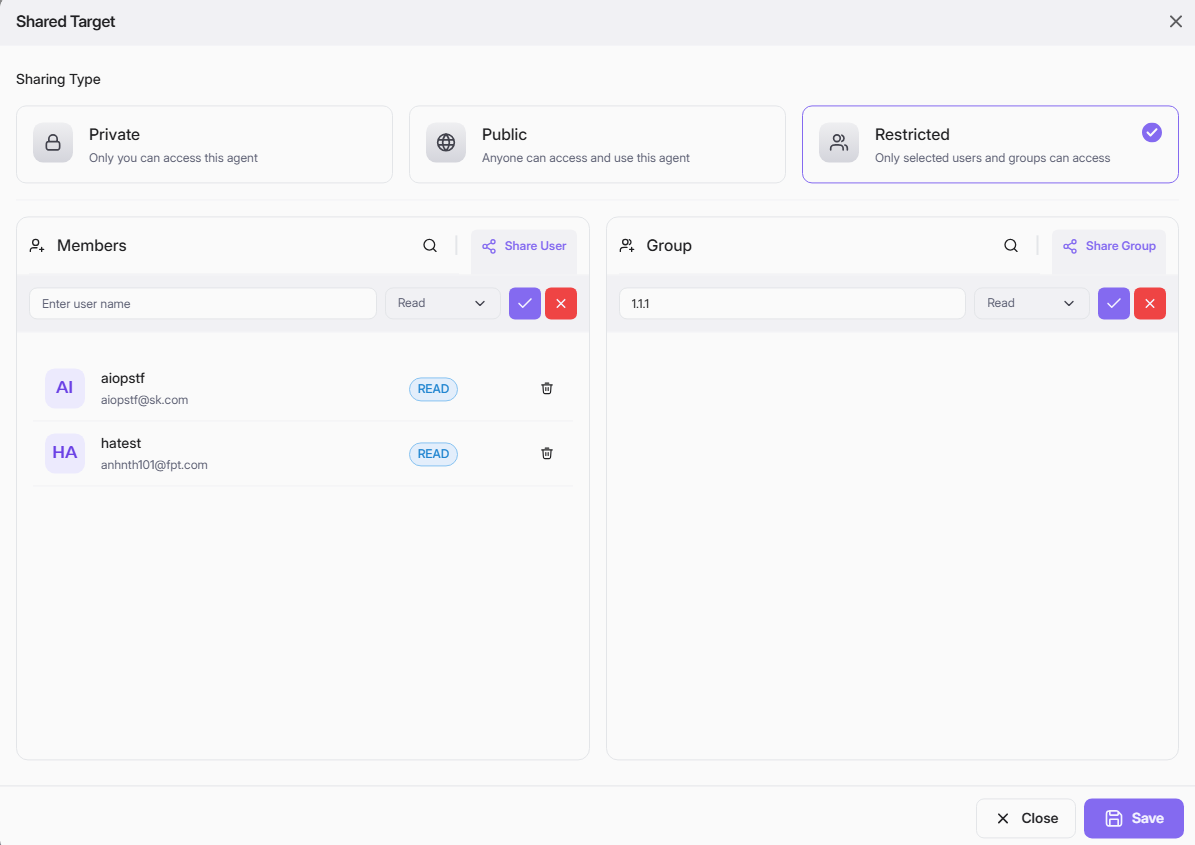
- Private:
- Only you can access and use this MCP Profile.
- Public:
- Anyone can access and use this MCP Profile.
- Choose this for MCP Profile intended for broad visibility or open collaboration.
- Restricted:
- Only selected users or user groups can access and use this MCP Profile.
Please select the appropriate sharing mode and click Save to apply your changes.
Share with specific User (Restricted mode)
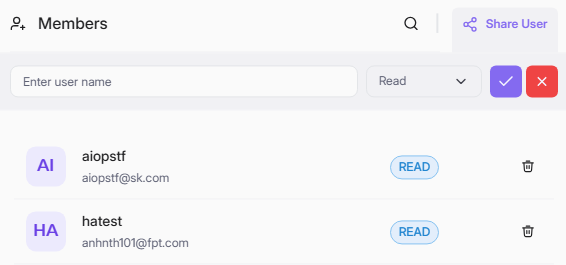
When you select Restricted mode, you can share the MCP Profile with specific users:
Follow the steps below to share the agent profile with other users:
- Click Share User at the top right of the Members section.
- In the search bar, begin typing the username or email. Matching users will appear in the dropdown.
- Select the desired user.
- Choose the permission level: For MCP Profile, target users are only allow to view the key and apply for authentication without editability.
- Click the checkmark to confirm, or the red X to cancel.
- The user will appear in the list below with their permission badge (
READ). - Click Save at the bottom right to apply your changes.
mẹo
You can delete shared user with the trash icon.
Share with a User Group
When you select Restricted sharing mode, you can also share your MCP Profile with groups:

Follow the steps below to share the agent profile with user groups:
- Click + Share Group at the top right of the Group section.
- Type the group name in the search bar. Matching groups will appear in the dropdown.
- Select the appropriate group from the results.
- Choose the permission for the group: For MCP Profile, target groups are only allow to view the key and apply for authentication without editability.
- Click the checkmark to confirm, or the red X to cancel.
- The group will appear in the list below with their permission badge.
- Click Save to apply changes.