LLM Provider
LLM Provider
LLM Providers represent external AI service endpoints that power your agents’ language capabilities. Here, you can view, add, and manage providers.
View Existing Providers
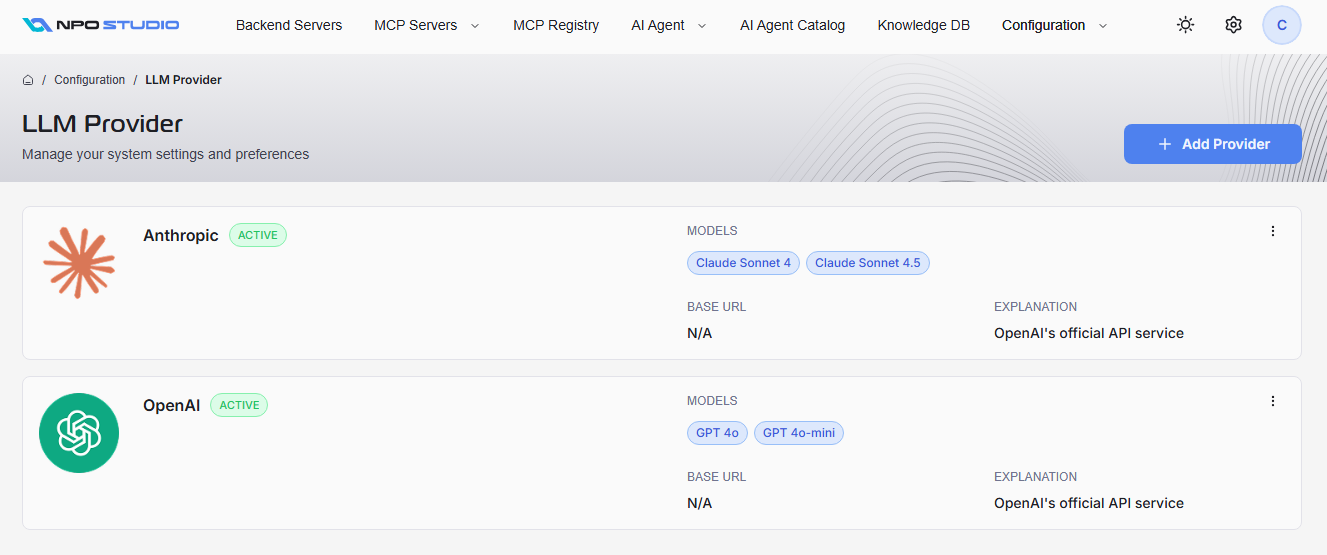
The configuration dashboard displays all configured LLM providers, each showing:
- Provider Name:Â The service provider (e.g., Anthropic, OpenAI).
- Status:Â An
ACTIVEindicator if the provider is enabled. - Models:Â Supported models for each provider (e.g., Claude Sonnet 4, GPT 4o).
- Base URL:Â The API endpoint for requests, if available.
- Explanation:Â Short description of the provider or its API service.
Add a New LLM Provider
To add a new provider, click Add Provider. Fill in the required information in the dialog:
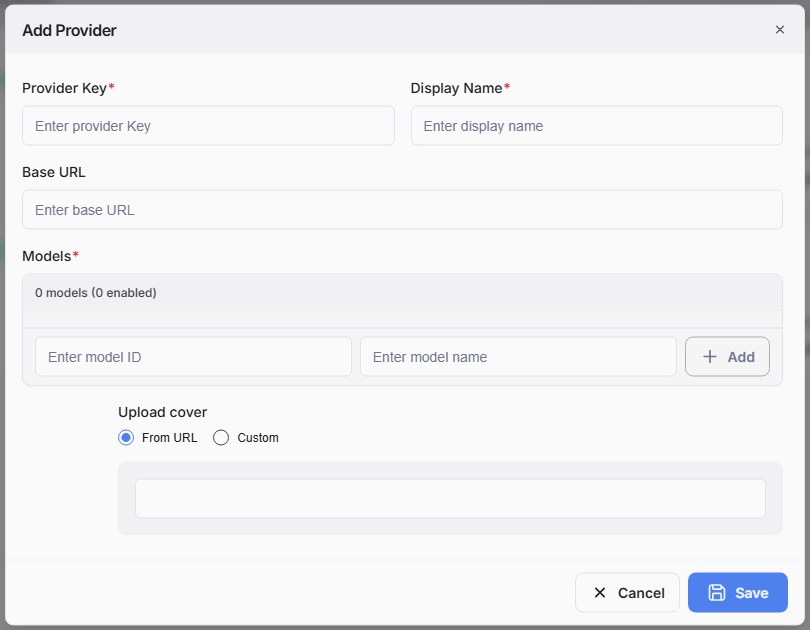
- Provider Key (required):Â Enter a unique identifier for the provider.
- Display Name (required):Â Friendly name displayed in the UI.
- Base URL:Â The API endpoint for the provider.
- Models (required):
- Enter each model’s ID and name (e.g., “gpt-4oâ€, “GPT 4oâ€).
- Click Add to include multiple models.
-
Upload Cover:
- Select "From URL" to use a default or web-hosted image
- Select "Custom" to upload your own.
After reviewing the information, click Save to complete the process. The new provider will appear in the list, ready for agent integration.