API Deployment Management
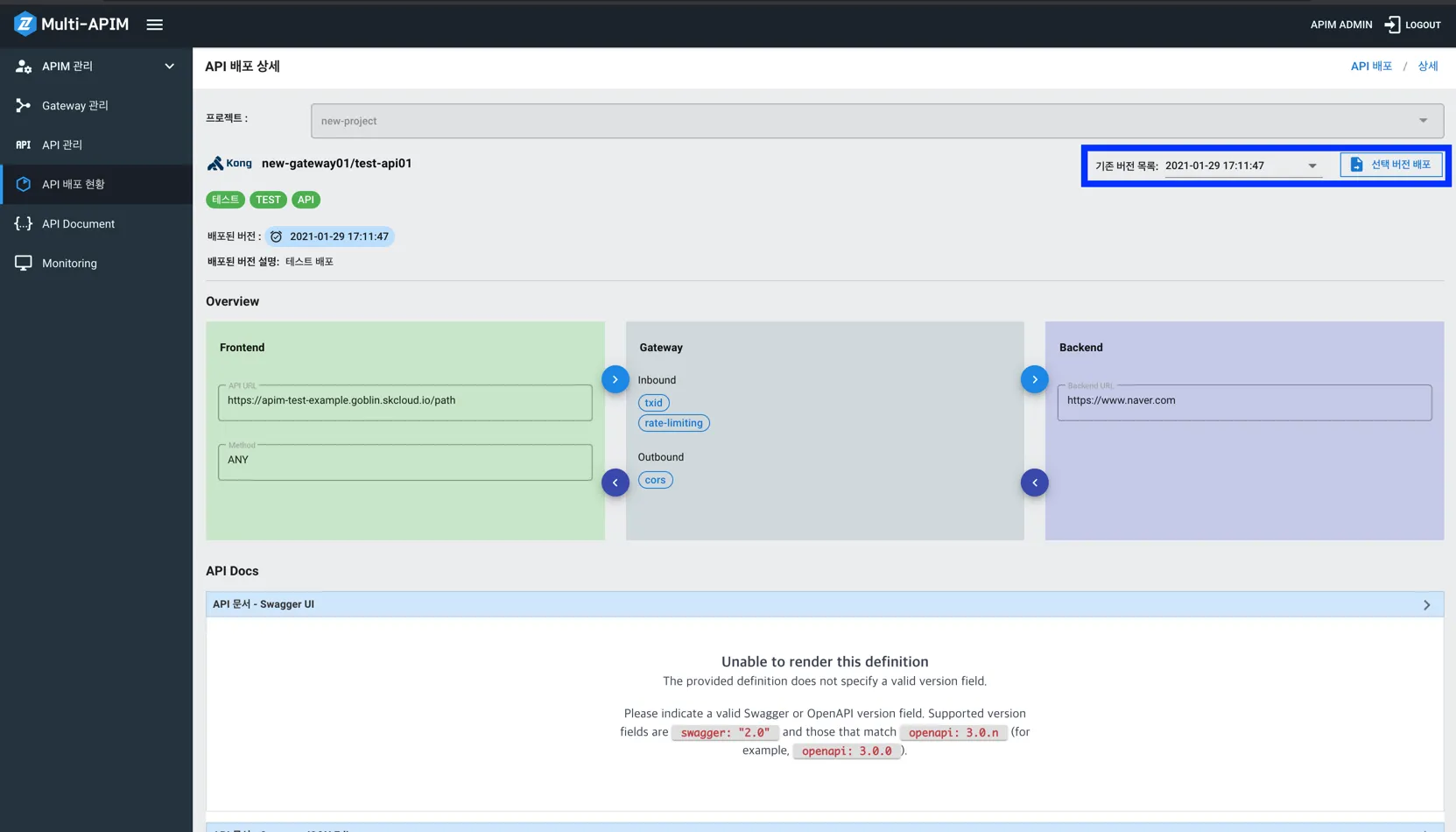
API Deployment Status Screen
- Displays the deployed APIs belonging to the project.
- Version shows the time information of the deployment, with the most recently deployed version displayed.
- Deleting the API Deployment item will delete all version data associated with it.
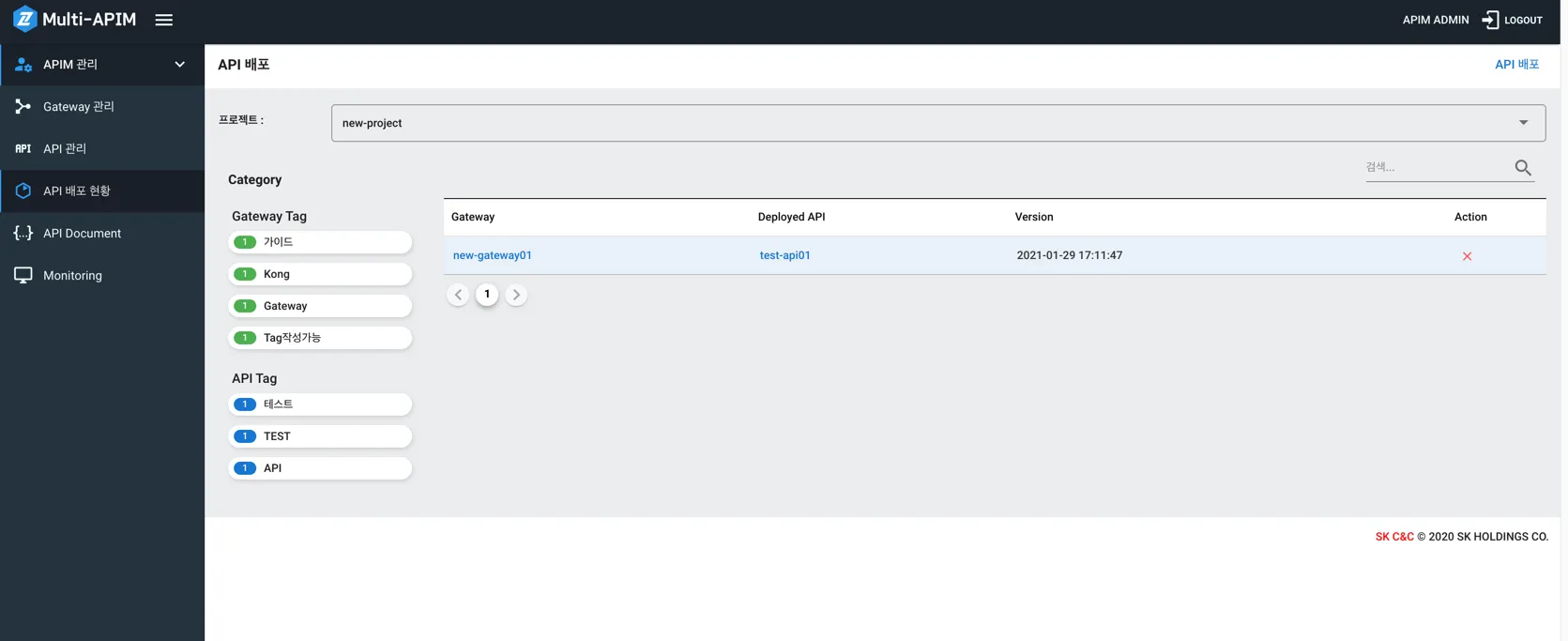
API Deployment Detail Screen
- By default, you can check the status of the latest deployed version.
- You can view the detailed settings of each version at the time of deployment by selecting the Previous Version List.
- However, in this screen, you cannot modify the Frontend, Backend, Policy, or Swagger documents. Modifications can be made in the "API Management > API Detail Screen."
- By selecting the Previous Version List and clicking Deploy Selected Version, you can roll back to a previously deployed version.