Oauth Provider
An OAuth Provider is an identity service that authenticates users and issues access tokens on their behalf. In NPO Studio, OAuth Providers are registered under Configuration > OAuth Provider and made available to MCP Servers - enabling MCP tools to securely access third-party APIs (e.g., Google, GitHub, Azure) using delegated user credentials.
OAuth Provider List
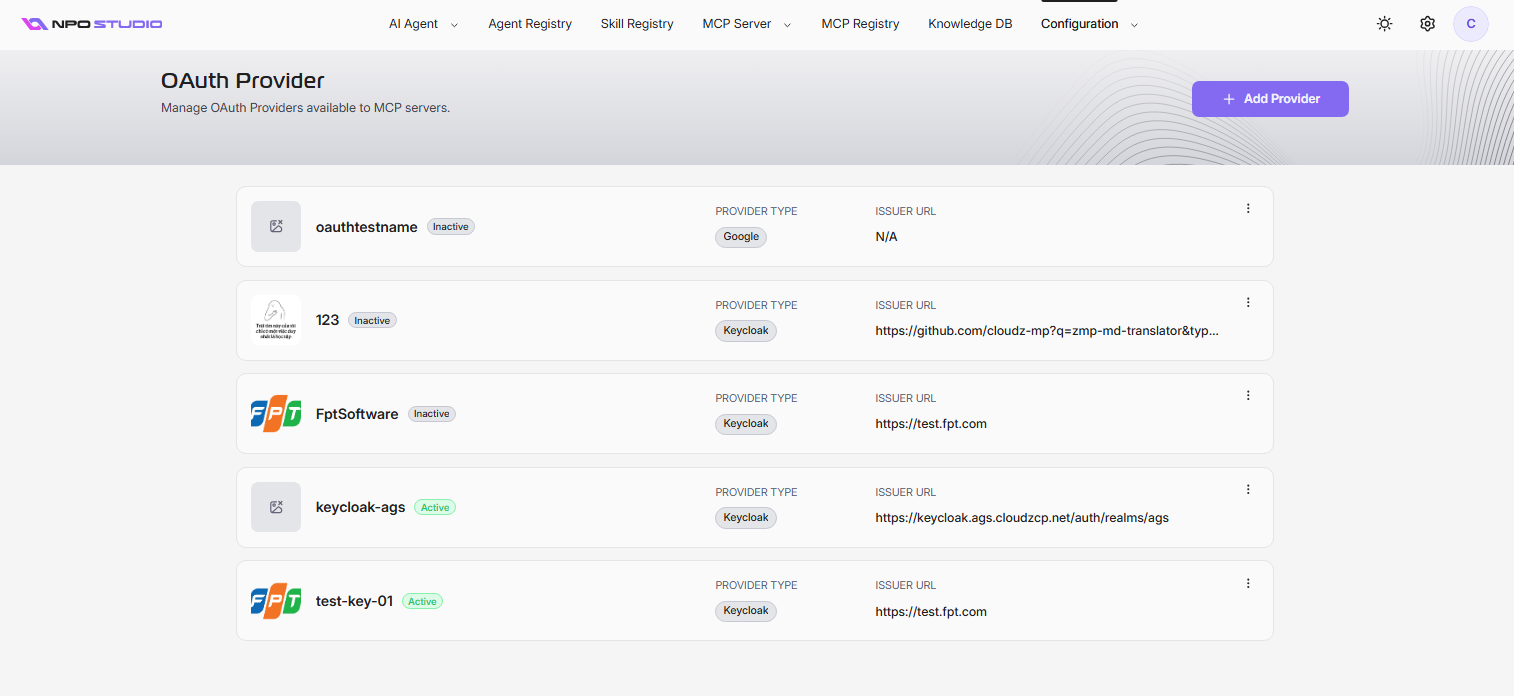
The OAuth Provider page displays all registered providers. Each entry shows:
- Display Name and cover image
- Provider Type: (e.g., Keycloak, Google, GitHub, Azure, Okta)
- Issuer URL: the OAuth issuer endpoint (or N/A if not applicable)
- Status: Active or Inactive
Use the three-dot menu on each entry to edit, activate/deactivate, or delete a provider.
Add a Provider
- Click + Add Provider.
- Fill in the required fields and click Save.
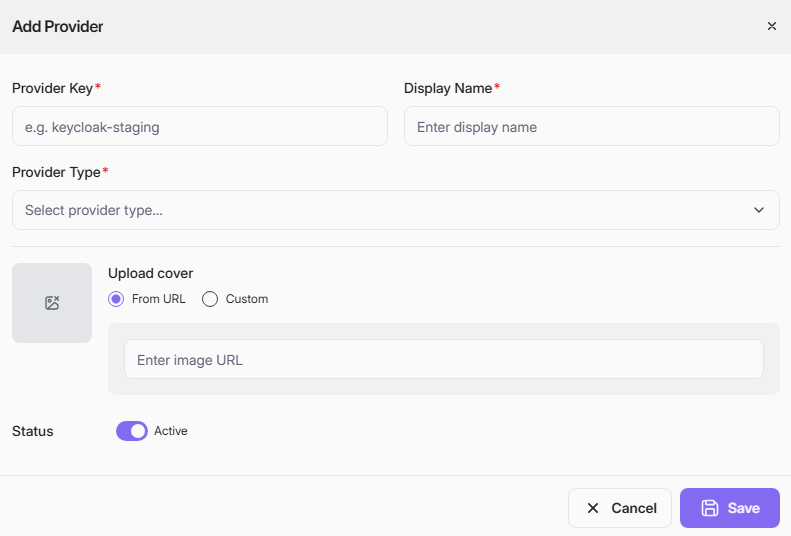
| Field | Required | Description |
|---|---|---|
| Provider Key | Yes | A unique identifier key. Cannot be changed after creation. |
| Display Name | Yes | A human-readable name for the provider. |
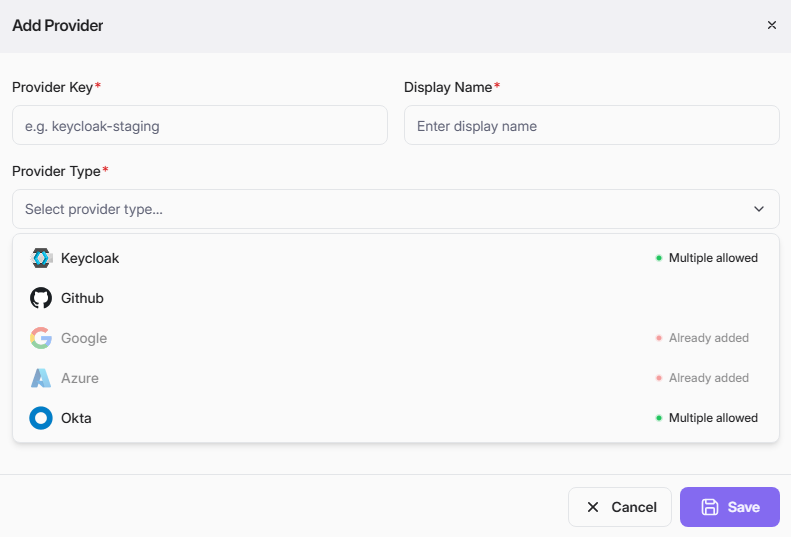
| Provider Type | Yes | The OAuth identity provider: Keycloak, Okta (multiple allowed), GitHub, Google, or Azure. |
| Issuer URL | Yes | The OAuth issuer URL (shown for Keycloak, Okta; may vary by provider type). |
| Upload Cover | No | A cover image. Options: From URL (provide an image URL) or Custom (upload a file). |
| Status | No | Toggle Active or Inactive. Defaults to Active. |
Note: Keycloak, Okta is marked Multiple allowed, meaning you can register more than one provider. Other types may be limited to a single instance.
Edit a Provider
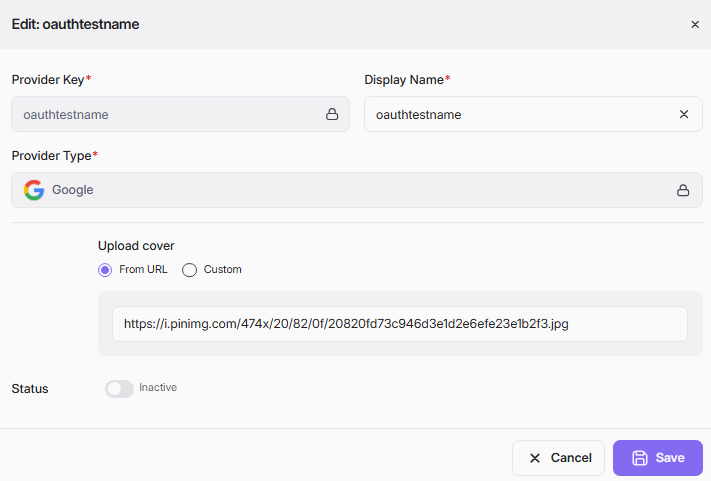
- Click the three-dot menu (⋮) on the provider and select Edit.
- Update editable fields (Display Name, Issuer URL, Upload Cover, Status). Provider Key and Provider Type are locked after creation.
- Click Save.
Activate or Deactivate a Provider
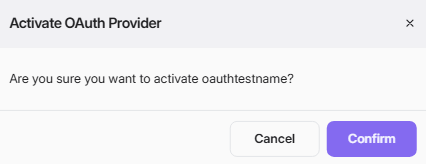
- Click the three-dot menu and select Activate or Deactivate.
- Confirm the action in the dialog.
Delete a Provider
- Click the three-dot menu and select Delete.
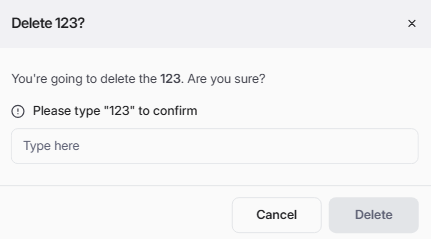
- Type the exact display name to confirm.
- Click Delete.