Share Backend Servers
Use Share Backend Server to control who can access your backend and what they can do.
Quick Steps
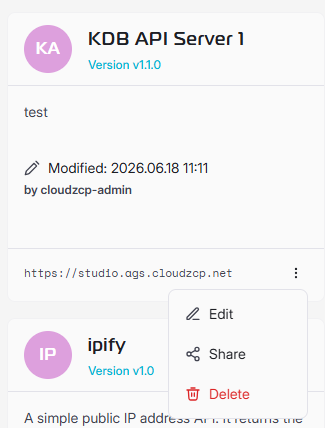
- Go to MCP Server > Backend Servers, click on (⋮) at the backend card and select Share.
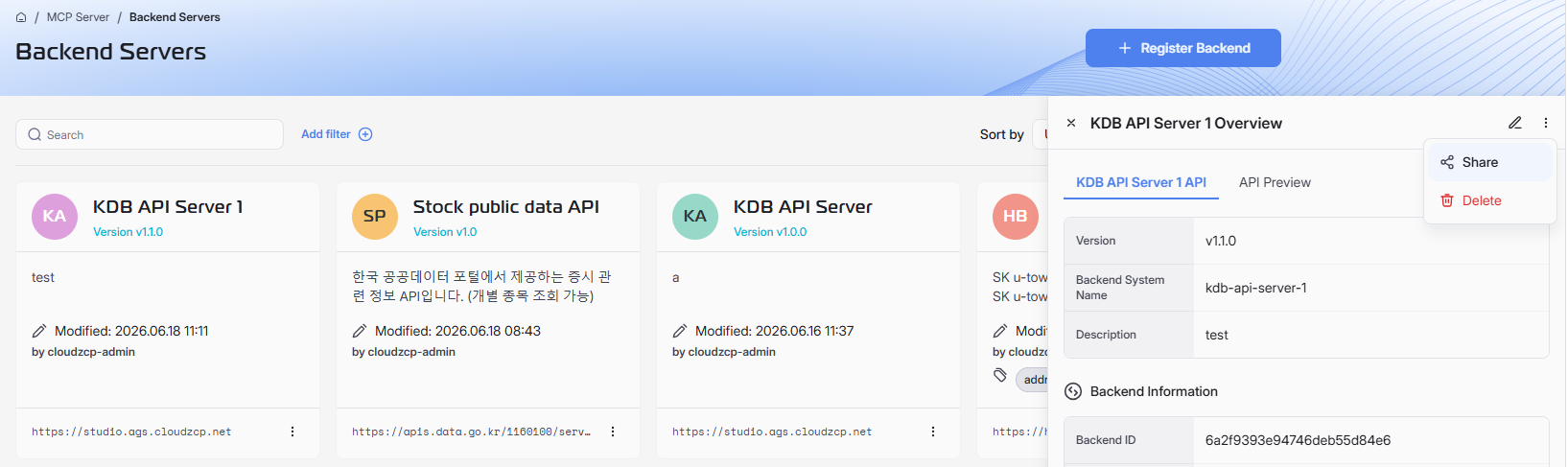
or click on the Backend Server card, click on (⋮) on the top-right corner and select Share.
Share Backend Server modal shall appear:
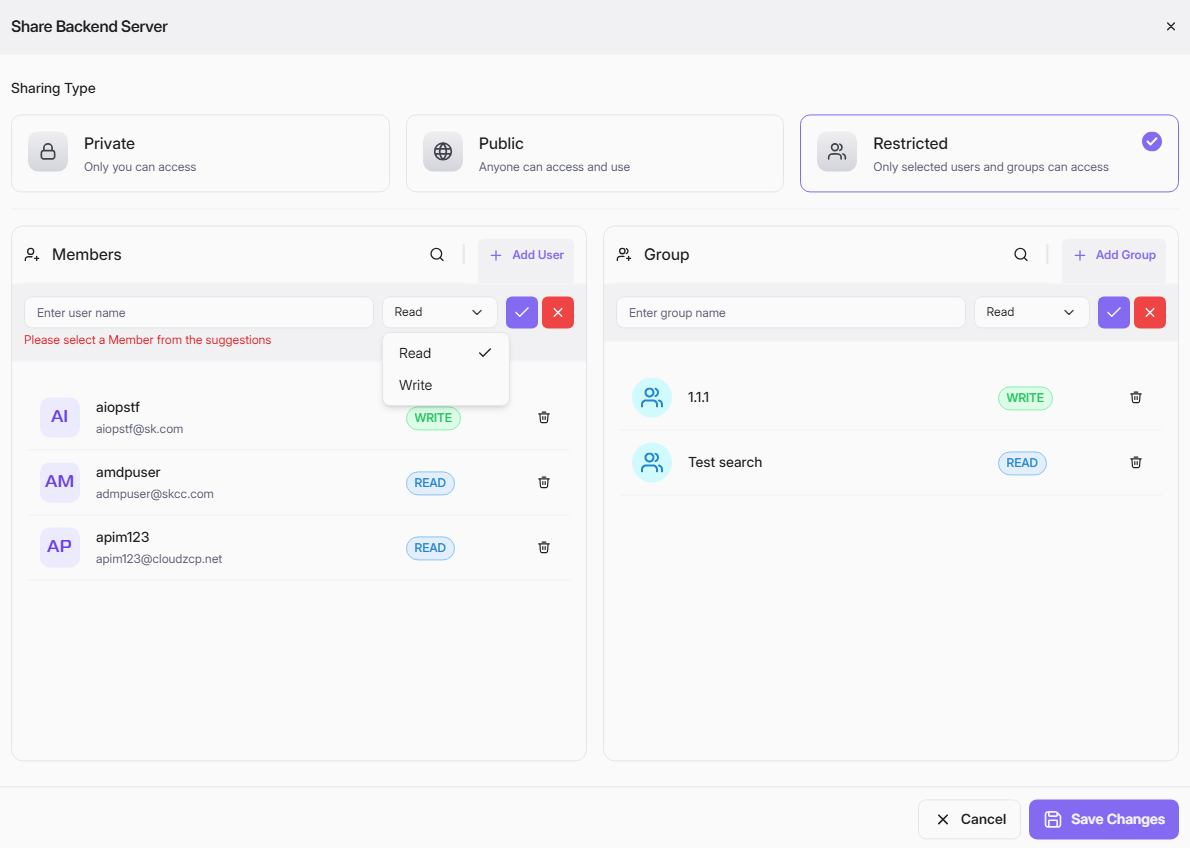
- Choose a Sharing Type:
- Private: only you can access.
- Public: anyone can access and use.
- Restricted: only selected users and groups can access.
- For Restricted, add access rules:
- Members: search and select a user, then set permission (Read or Write).
- Group: search and select a group, then set permission (Read or Write).
- Click the check icon to add each member/group entry.
- Remove an entry with the delete icon if needed.
- Click Save Changes.
Permission Meaning
- Read: view or use server resources.
- Write: modify server resources.
Tips
- Start with Read by default; grant Write only when required.
- Use Restricted for production or sensitive environments.
- Review member and group access regularly.