Return a GPU Pool
경고
GPU 풀을 반환하기 전에 GPU를 사용 중인 애플리케이션을 모두 제거해야 합니다. GPU 풀이 사용 중인 경우 삭제할 수 없습니다.
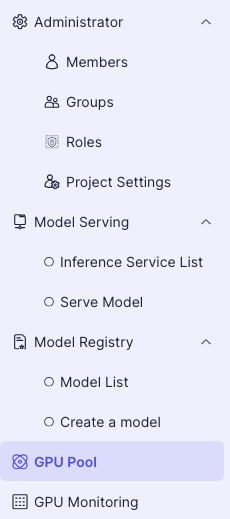
- 왼쪽 프로젝트 메뉴에서 GPU Pool을 선택합니다.
- GPU 풀 화면에서 반환하려는 GPU 풀 옆에 있는 액 버튼을 클릭합니다.

- 풀 이름을 입력한 후 Release Pool 버튼을 클릭하여 GPU 풀을 반환합니다.
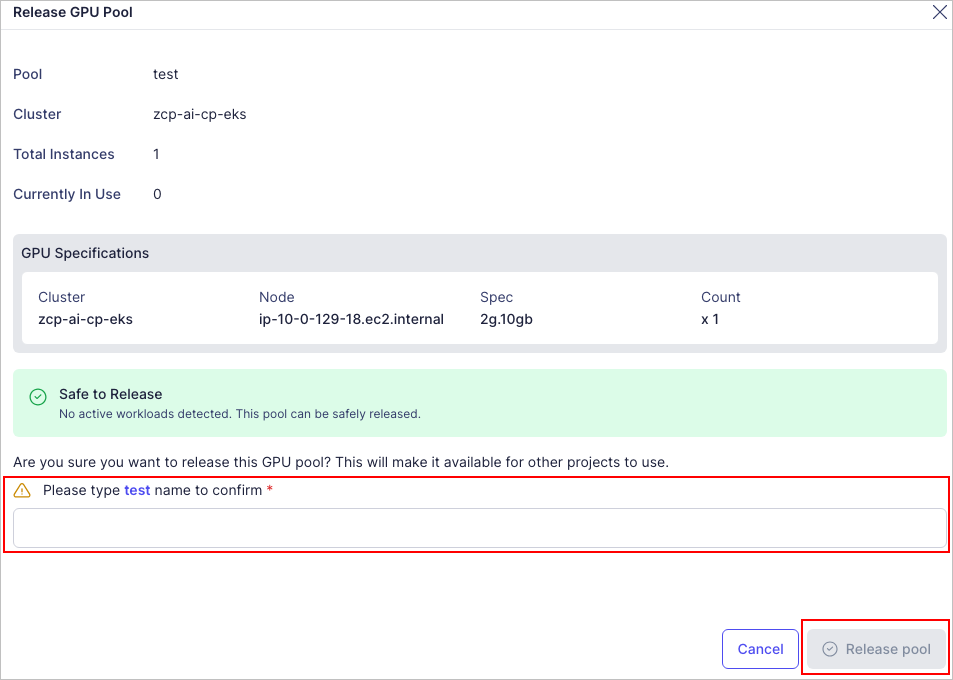
GPU 풀을 반환하기 전에 GPU를 사용 중인 애플리케이션을 모두 제거해야 합니다. GPU 풀이 사용 중인 경우 삭제할 수 없습니다.