Publish and Unpublish an AI Agent
Publish an Agent Profile
You can only publish an AI Agent if its publish status is UNPUBLISHED.
On the agent profile listing page, click the More options (three-dot icon) and select Publish.
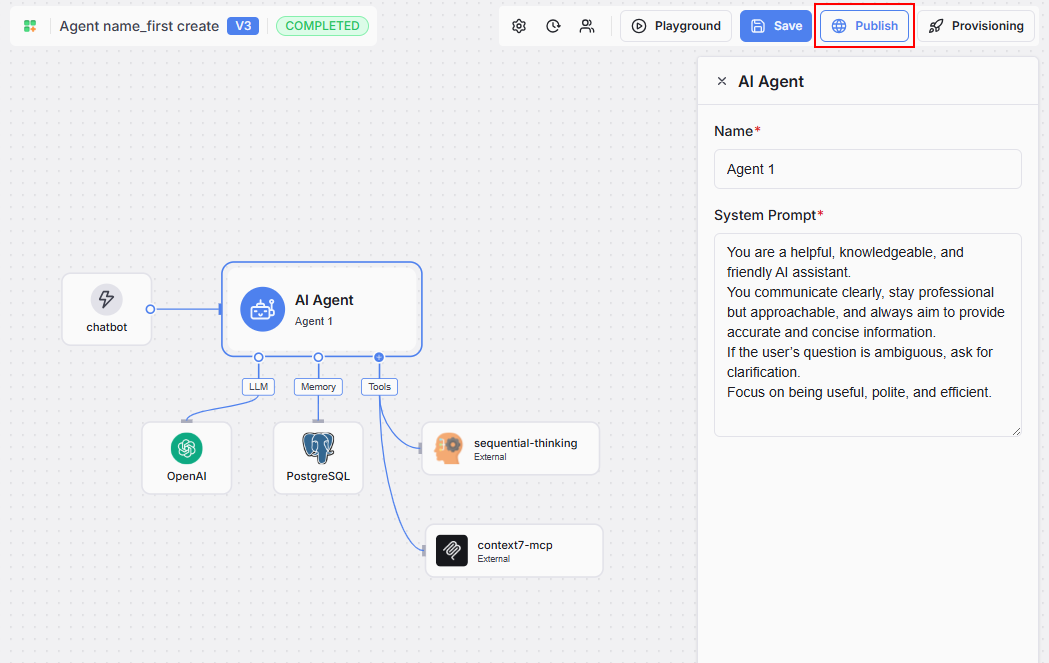
If you are editing the agent profile, you will see the Publish button at the top right of the page. This button is enabled only when the agent profile status is COMPLETED.
Unpublish an Agent Profile
You can only unpublish an AI Agent if its publish status is PUBLISHED.
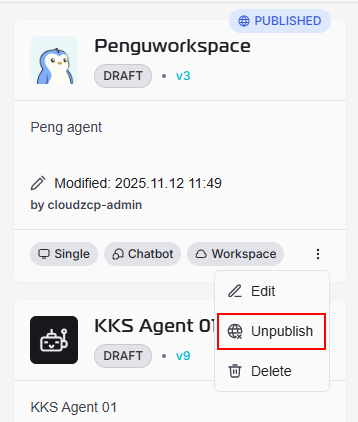
If you are on agent profile listing page, you can click on the More options (three-dot icon) and select Unpublish.
If you are editing the agent profile, you will see the Unpublish button at the top right of the page. This button is enabled only when the agent profile status is COMPLETED.