View MCP Server Profile Details
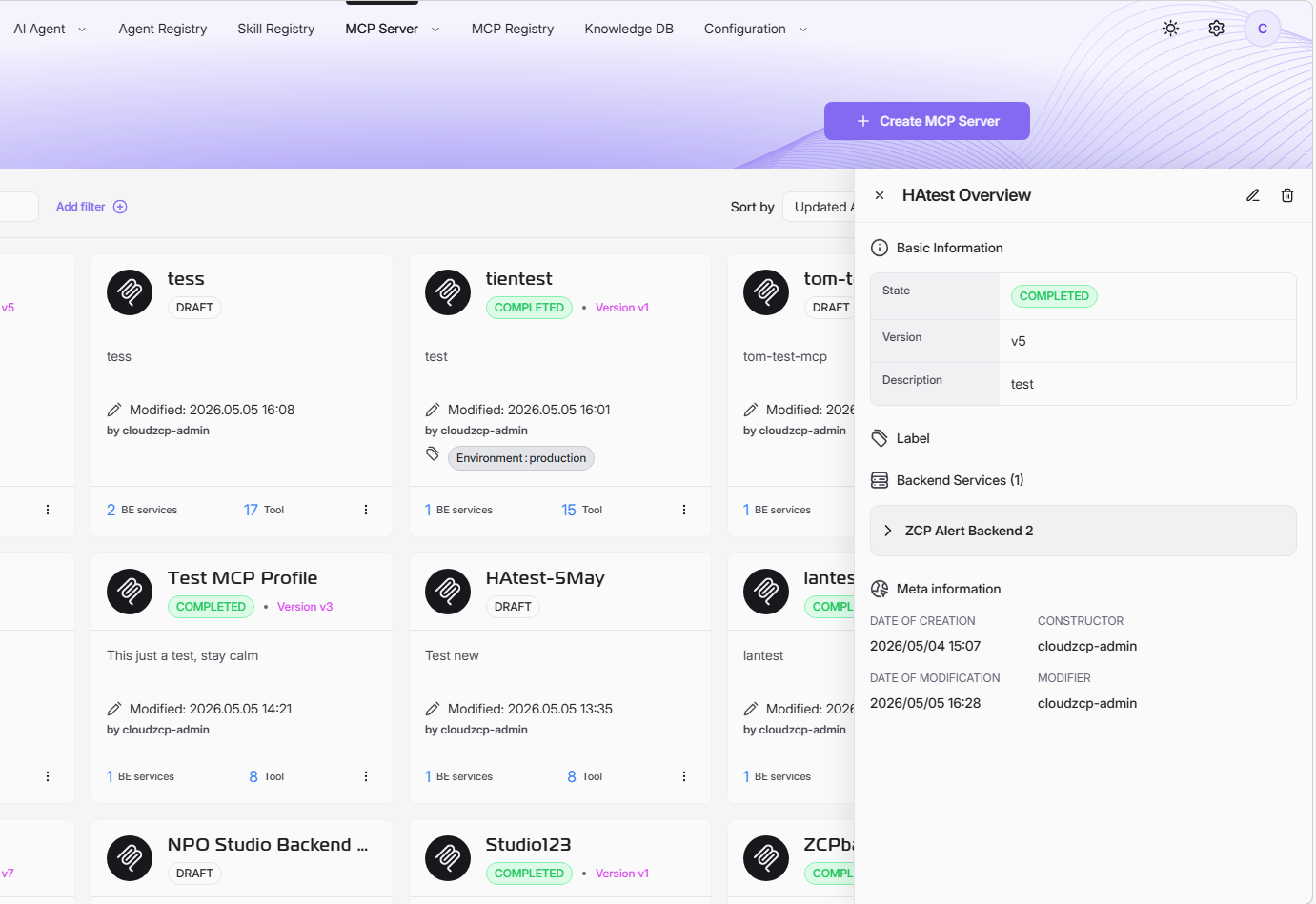
To view MCP Server profile details, navigate to the MCP Servers page. Locate the MCP profile you want to inspect. Click on the profile card to open its detailed summary.
Use the Search and Filter tools to quickly locate the MCP profile you need.
Looking at an MCP Server Profile details, you can quickly understand the profile's purpose, backend integrations, and its key audit information. This summary helps you manage, track, and troubleshoot server configurations as needed.
Basic Information
This section contains high-level information that identifies and describes the MCP Server profile.
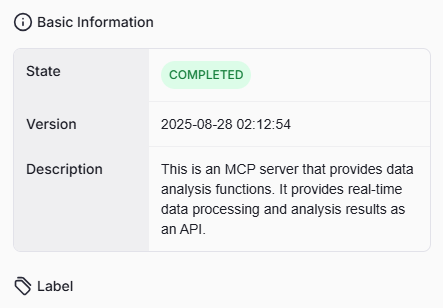
- State: Indicates the current status of the MCP profile, such as COMPLETED. This shows whether the profile is active and available for use.
- Version: The exact date and time when the MCP profile was registered in the system.
- Description: A detailed summary explaining the purpose of this MCP server.
- Label: Key-value pairs used to categorize and organize MCP profiles. Labels provide flexible metadata for filtering and management.
Backend Services
This section lists all backend services connected to the MCP profile. Each service is presented with its available API endpoints.
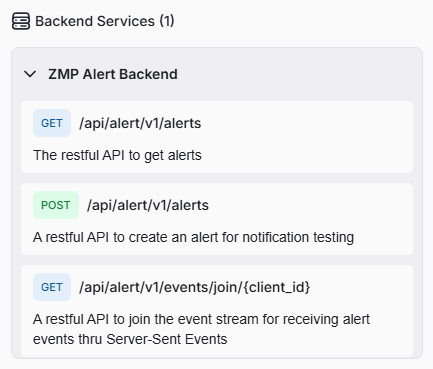
- Service Name: The name of the backend integration (e.g., ZMP Alert Backend).
- Endpoints: Each supported API endpoint listed here contains HTTP method, path, and description information.
- HTTP method:
GET,POST, orPUT - Endpoint Path: The specific route used to access the service (e.g.,Â
/api/alert/V1/event/alert/stream/join). - Endpoint Description: A short explanation of what each endpoint does, such as joining event streams or refreshing integrations.
- HTTP method:
Meta Information
This section provides audit and tracking details about the MCP profile’s lifecycle.
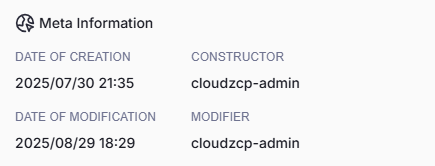
- Date of Creation: The timestamp indicating when the profile was created.
- Date of Modification: The timestamp indicating the last update to the profile’s configuration.
- Constructor: The username of the user who created the MCP profile.
- Modifier: The username of the user who last modified the profile.