API Key List
The API Key List screen allows users to manage Kubernetes Secret resources, primarily used to store API keys for public LLM providers and credentials for user authentication.
Access API Key List Screen
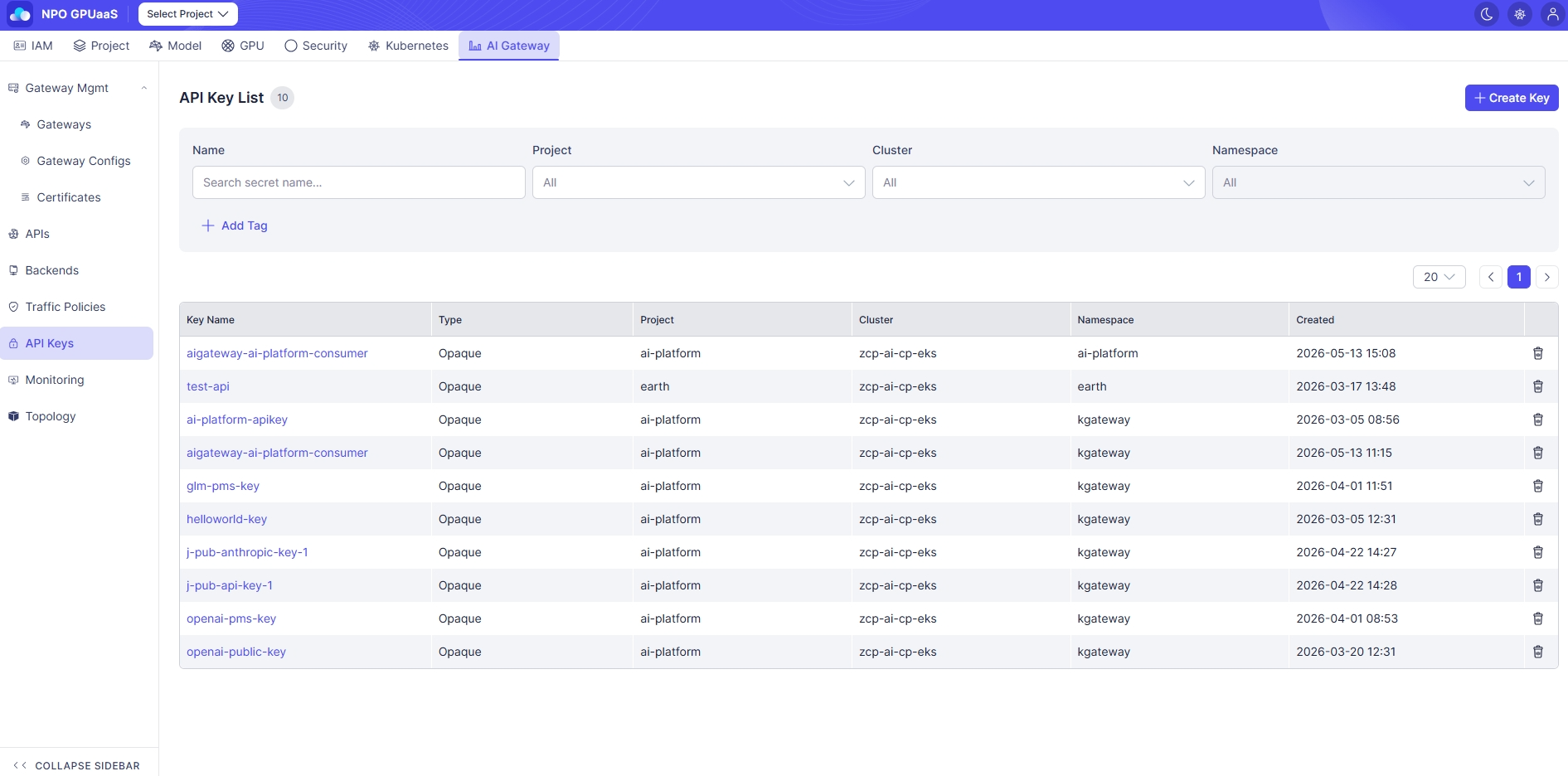
In the left-side navigation, select API Keys:
Search the API Key
You can use the Search function to quickly find specific API Key:
- Name: Filter by name
- Project: Filter by Project (default: All)
- Cluster: Filter by Cluster (default: All)
- Namespace: Filter by Namespace (default: All)
Search results are displayed immediately after the user enters a keyword or selects a value.
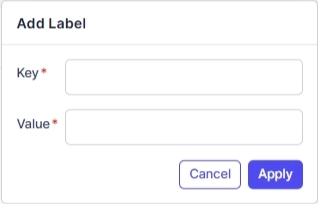
User can click Add Tag to add tag filters. Multiple tags are supported and combined using AND logic:
View API Key List
You can see a table listing all API Key matching your filters (if any). The information includes:
- Key Name: Secret name (click to open key detail)
- Type: Secret type
- Opaque (general secrets)
- kubernetes.io/tls (TLS secrets)
- Project: Associated project
- Cluster: Deployment cluster
- Namespace: Namespace information
- Created: Date time when key was created (format: YYYY-MM-DD HH:MM)
Action
Create Key
User can click Create Key to create a new key. When clicked, navigates to Create API Key screen.
View Details
User can click the Key Name to open the API Key Details page.
Delete
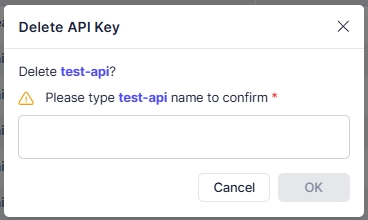
User can delete an API key by clicking the Trash icon. Upon clicking, a confirmation popup will appear, and users must enter the key name to confirm deletion: