Alert Rules
Description: Define a new rule group containing one or more alert or record monitoring rules. Rule groups control when alert conditions are evaluated.
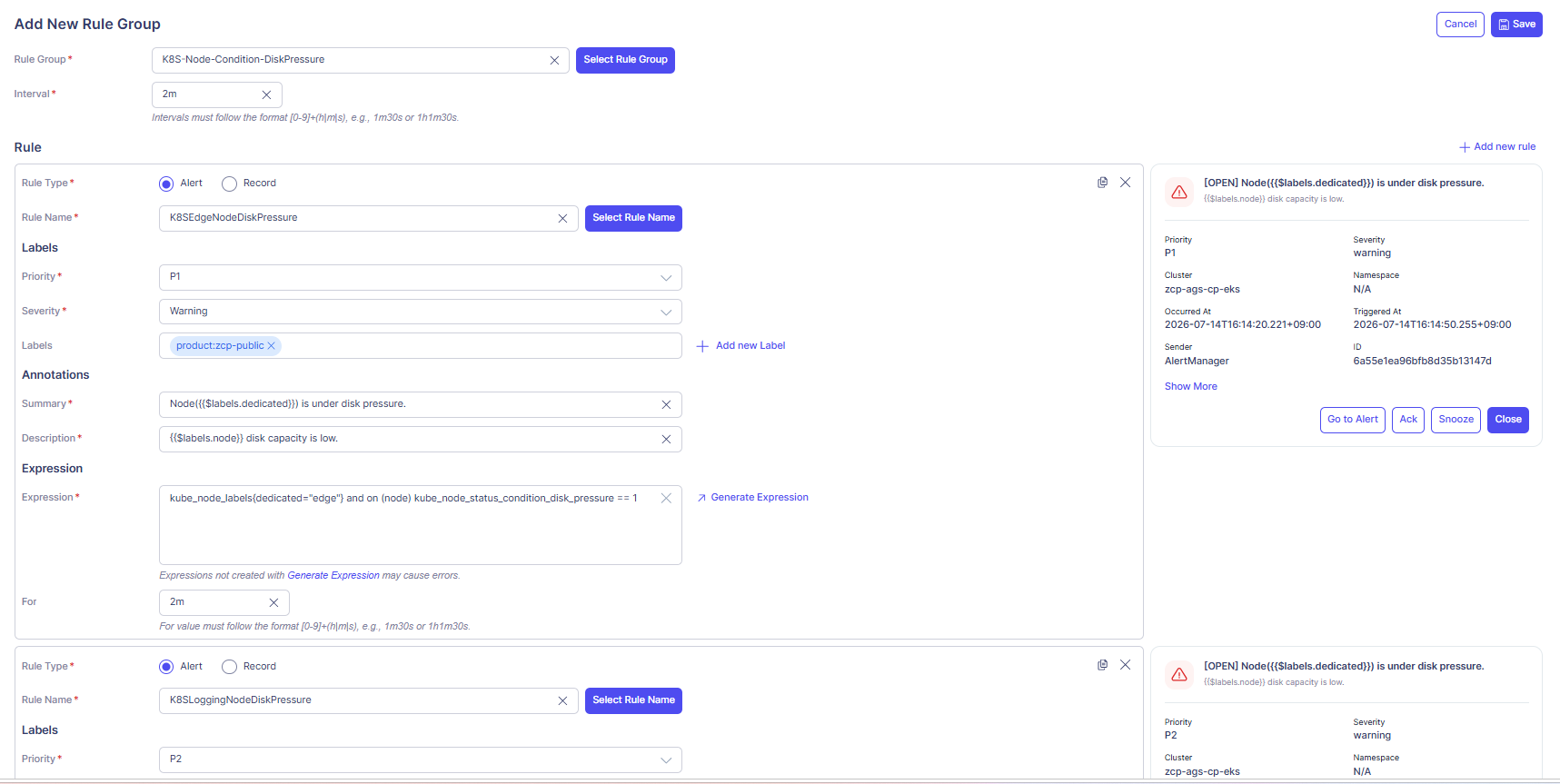
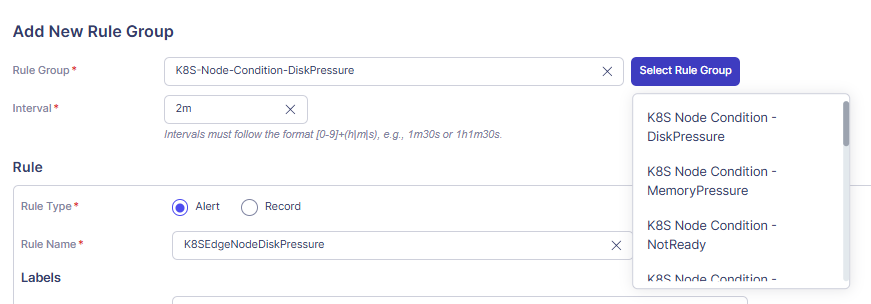
- Rule Group — text input for the group name. Key in Rule Group name for a new rule group or click Select Rule Group button opens a dropdown to copy settings from an existing group.
- Interval — evaluation cadence for all rules in this group. Format: [0-9]+(h|m|s), e.g., 2m, 1h30m30s.
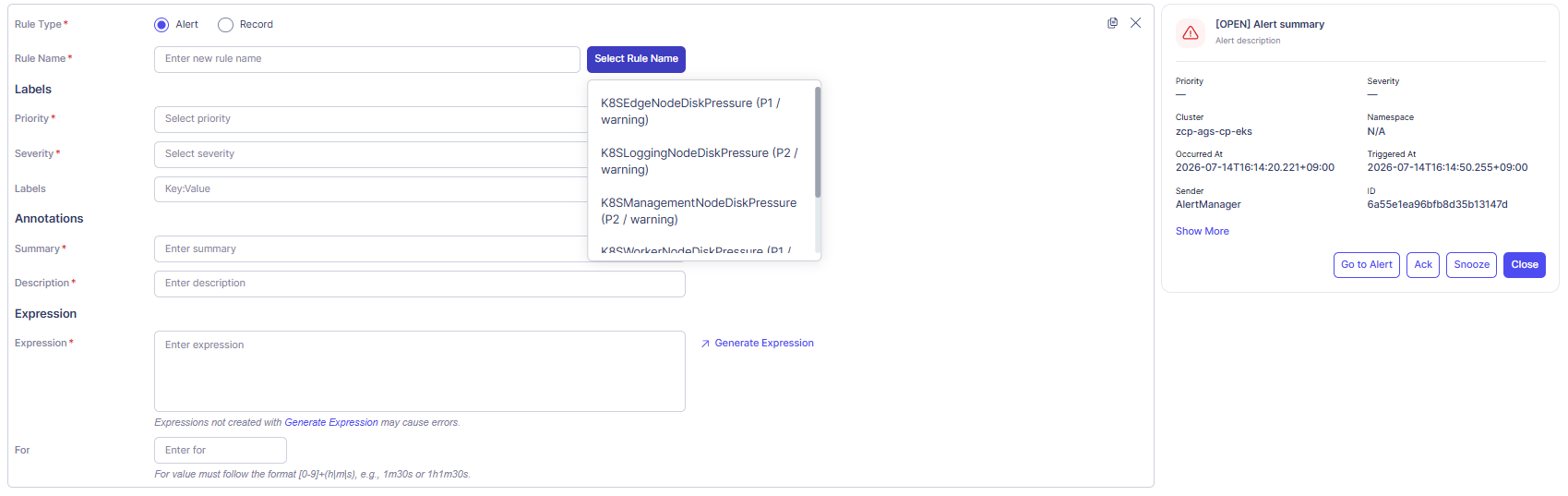
Rule block (one block per rule; click + Add new rule top-right to add more)
| Area | Field | Notes |
|---|---|---|
| Rule type | Alert / Record | Radio button. Alert = fires incidents; Record = computes derived metrics. |
| Rule Name | Text input | Select Rule Name dropdown lets you copy from an existing rule (shows name + priority/severity). Or you can type the new rule if needed. |
| Labels | Priority | Required for Alert rules. P1–P4. |
| Labels | Severity | Required for Alert rules. e.g., Warning, Critical. |
| Labels | Key:Value | Custom labels. Click + Add new label to add more. Must follow consistent key:value conventions to ensure correct routing by Integrations. |
| Annotations | Summary | Short title shown in alert list and notifications. Supports {{$labels.xxx}} template syntax. |
| Annotations | Description | Detailed context for responders. Supports template syntax. |
| Expression | Expression | PromQL / metric query. Click ↗ Generate Expression to open the expression builder. |
| Expression | For | Minimum duration the condition must stay true before firing. Same format as Interval. |
Alert preview panel (right side) — live preview of how the alert card will appear once fired, including Priority, Severity, Cluster, Namespace, Occurred At, Triggered At, Sender, and ID. Action buttons (Go to Alert, Ack, Snooze, Close) are shown for reference only.
Rule block toolbar — copy icon duplicates the rule block; × removes it.