View List KDB
The Knowledge DB list page lets you quickly view, search, and manage all Knowledge Databases.
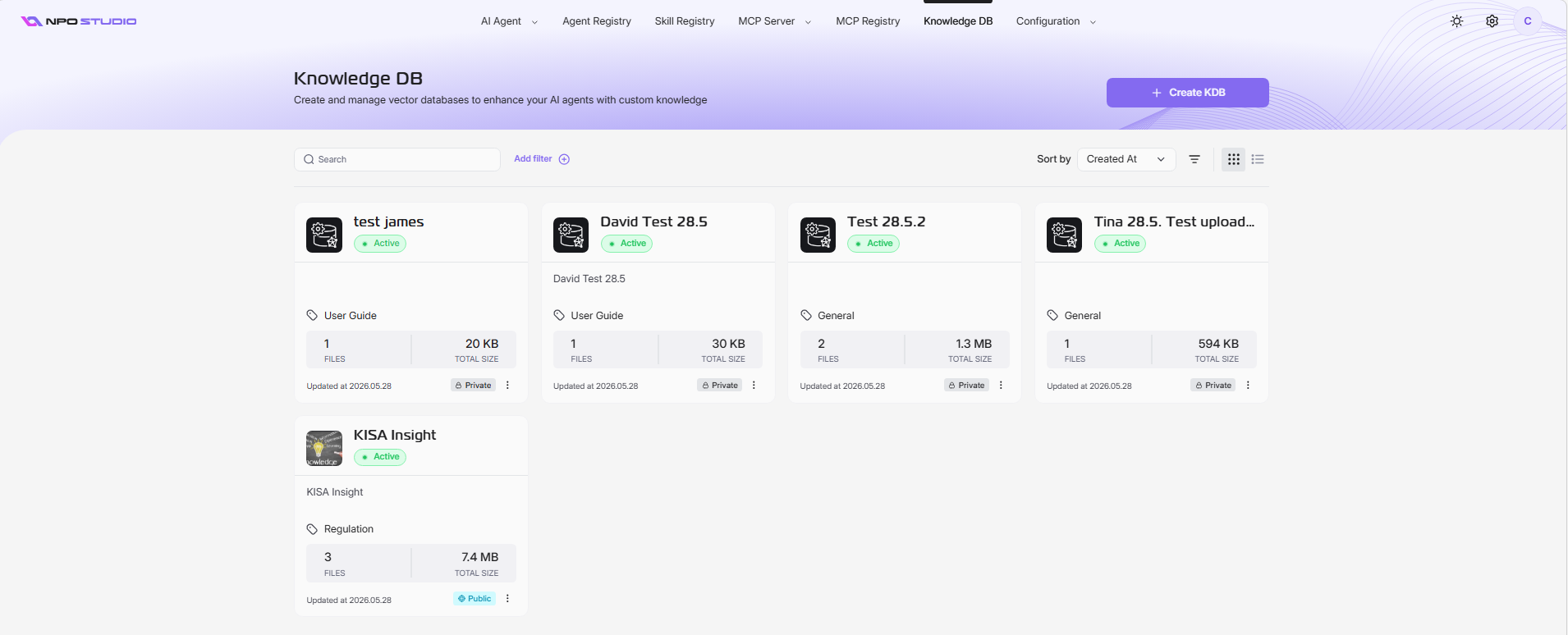
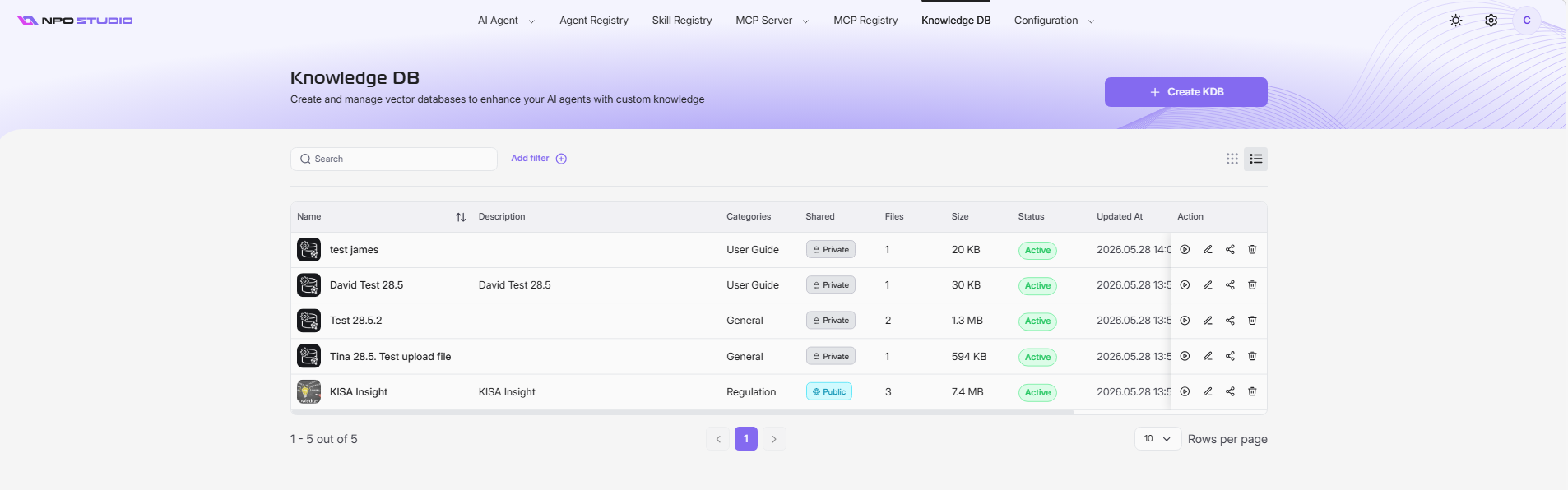
Open Knowledge DB List
- From the top navigation bar, click Knowledge DB.
- The system opens the KDB listing screen.
Search and Filter
- Use the Search box to find KDBs by name.
- Click Add filter to narrow results (for example by category or sharing type).
Switch View Mode
The KDB list supports two display modes:
- Table view: Shows KDBs in rows with detailed columns.
- Card view: Shows KDBs as cards with visual summaries.
Click the view toggle icon at the top-right of the listing area to switch between modes.
Sort KDB List
- Use the Sort by dropdown.
- Select a field (for example, Created At) to reorder records.