Change API Settings
You can modify the configuration of an existing API to update the core details, specification source, labels, and security settings for your API.
If you’re using Grid View, click the three-dot menu to open the action items, then click the edit button (pencil icon) to open the API Details form.
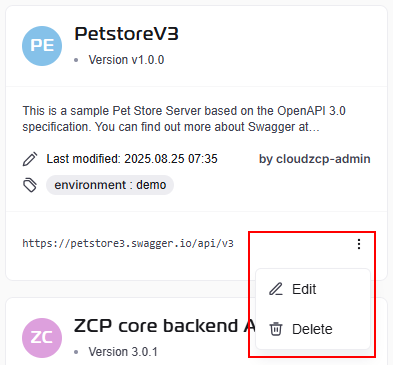
If you’re using List View, go to the Action column and click the edit button (pencil icon) to open the API Details form.

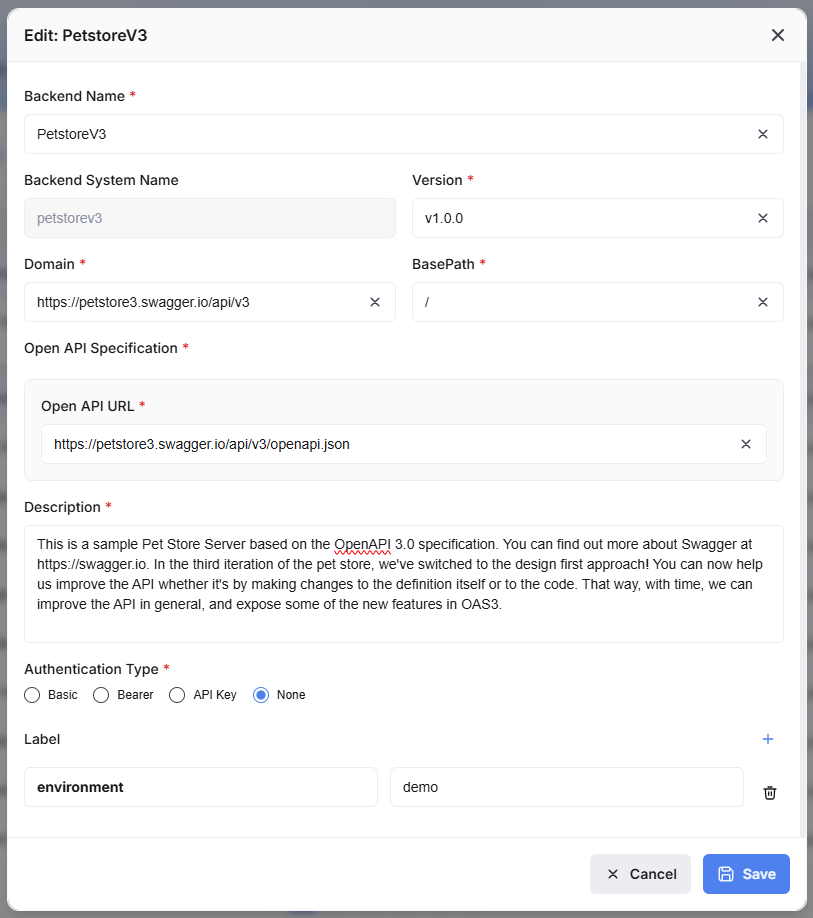
Clicking the edit button will open the Edit API Details form. Fill in your changes as necessary.
-
Backend Name: (mandatory field) A user-friendly, display name for the API (e.g.,
PetstoreV3). -
Backend System Name: (auto-filled field) The unique, internal identifier for the API (e.g.,
petstorev3). This name is typically used in system references and may have character restrictions. -
Version: (mandatory field) The version number of your API (e.g.,
v1.0.0). It is recommended to follow semantic versioning practices. -
Domain: (mandatory field) The base domain where your API is hosted (e.g.,
https://petstore3.swagger.io/api/v3). -
BasePath: (mandatory field) The sub-path that is appended to the Domain to form the complete base URL for all endpoints (e.g.,
/). -
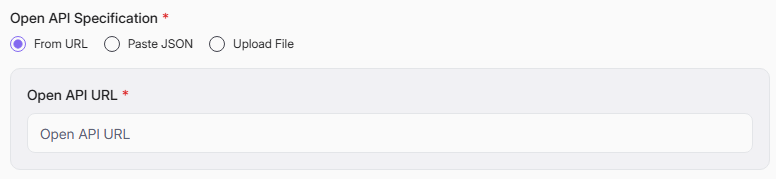
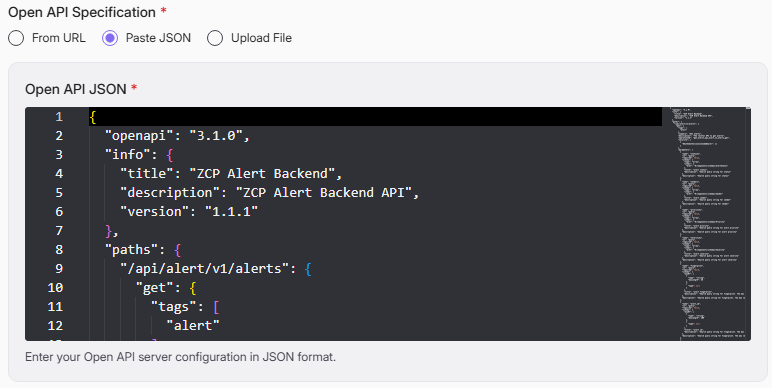
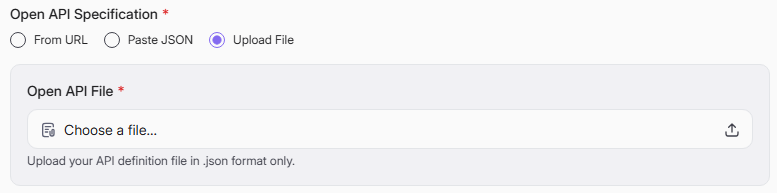
Open API Specification: (mandatory field) Provide the API's definition document, which describes all its endpoints and operations. You must specify the source of this definition in one of three ways:
-
From URL: Provide a direct web link to the OpenAPI definition file (e.g., a .json or .yaml file).
-
Paste JSON: Paste the raw content of the OpenAPI JSON definition directly into a text field.
-
Upload File: Upload an OpenAPI definition file from your local computer.
-
-
Description: (mandatory field) A text field to provide a detailed, human-readable description of the API's purpose and functionality. This information is displayed on the API Overview screen and helps other users understand how to use the API.
-
Authentication Type: (mandatory field) Select the security method required for clients to access the API.
- Basic: Requires a username and password for authentication.
- Bearer: Requires a bearer token (such as a JWT) in the Authorization header.
- API Key: Requires a specific API key to be sent, typically in the request headers or query parameters.
- None: The API is public and requires no authentication credentials for access.
-
Label: This section allows you to manage tags, which are key-value pairs used for organizing, filtering, or adding custom metadata to the API.
- Add a Label: Click the plus (+) icon to add a new row for a label.
- Key / Value: Each label requires both a Key (the identifier, e.g., environment) and a Value (the data, e.g., demo). As indicated by the error messages, both fields are required once a label row is added.
- Delete a Label: Click the trash can icon to remove the corresponding label row.
After validating the information you have entered, click the Save button to apply the new configuration to the API. If you wish to discard all changes made on this screen, click the Cancel button to close to form.