Traffic Policy Details
Access Traffic Policy Details Screen
From the Traffic Policy List screen, click the Policy name on a table row to navigate to Traffic Policy Details Screen.
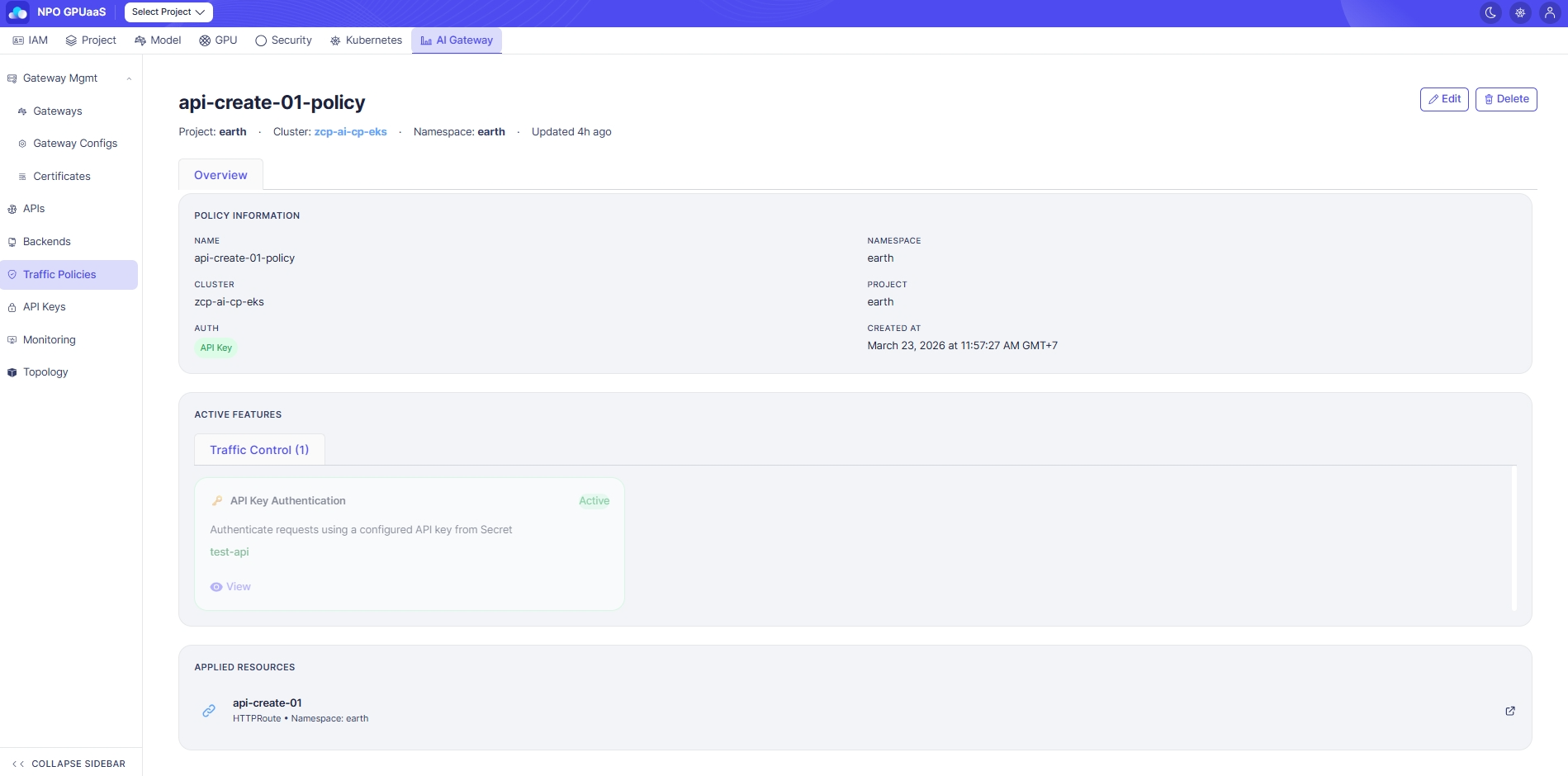
Policy Information
In the Policy Information section, you can review key metadata:
- Name: Policy resource name
- Namespace / Cluster / Project: Deployment information
- Auth: The enabled authentication method (e.g., API Key) if configured
- Created At: Date time when policy was created.
Active Features
Each active feature is displayed as a card containing:
- Feature title (e.g., API Key Authentication)
- Status badge: Active
- Short description (1–2 lines)
- Configured label and a View action (click to view detailed configuration)
Applied Resources
In this section, user can see the list of resources this policy is attached to.
Action
Edit
User can click Edit to navigate to Edit Policy screen. The form is pre-filled with the current Policy information.
Delete
User can delete a policy by clicking the Delete button. Upon clicking, a confirmation popup will appear, and users must enter the policy name to confirm deletion:
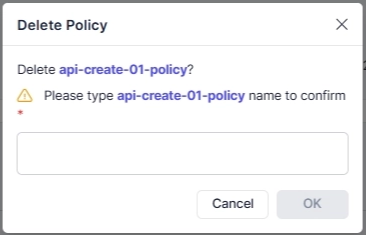
After deletion, redirect to the Policy List page.