Create TLS Secret
Access TLS Secret Create
You can access this page in either of the following ways:
-
From TLS Secret List page, click Create TLS Secret.
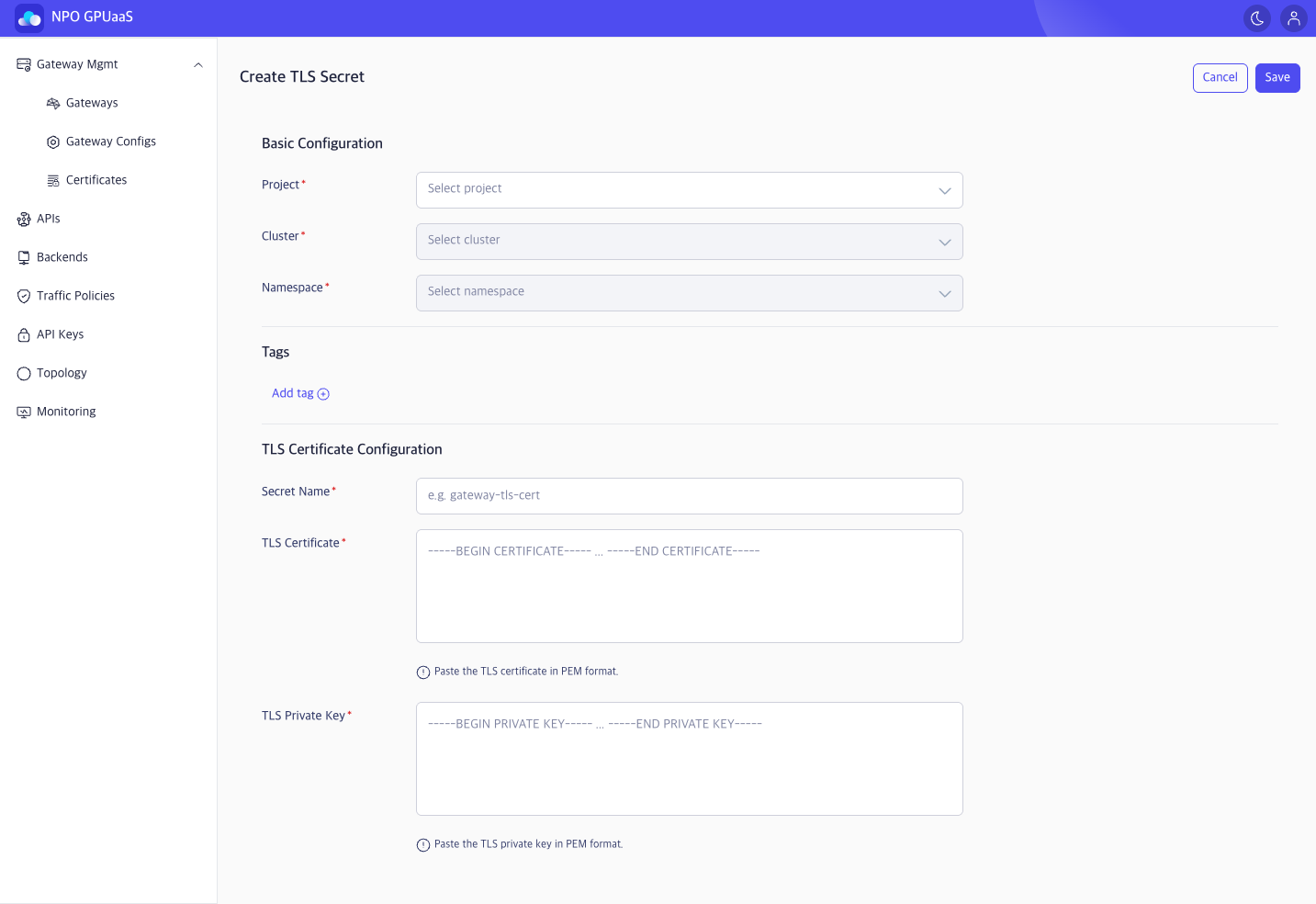
-
From Gateway Create/Edit flow, click the TLS Secret ➕ button to open Create TLS Secret popup.
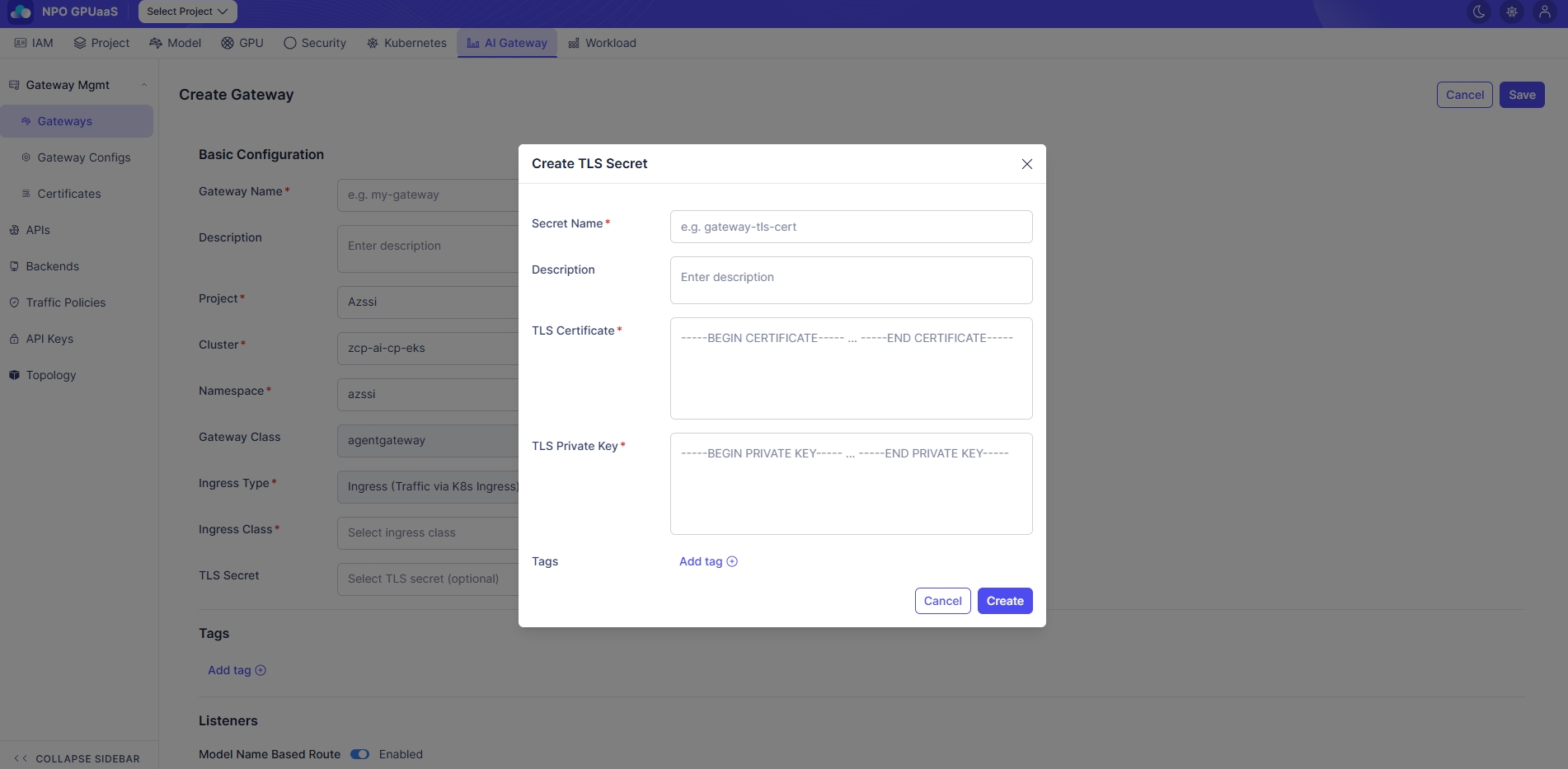
Step 1: Fill in the Create TLS Secret form
Basic Configuration:
- Project (Required): Select the project from the list.
- Cluster (Required): Select a cluster under the chosen Project.
- Namespace (Required): Select a namespace under the chosen Cluster.
Tags:
User can add multiple tags:
-
Click Add tag and enter Key and Value:

-
Multiple tags are supported.
TLS Certificate Configuration:
- Secret Name (Required): Enter a secret name (e.g., gateway-tls-cert). Must follow Kubernetes naming rules.
- TLS Certificate (Required): Enter the certificate in PEM format (----BEGIN CERTIFICATE----- ~ ----END CERTIFICATE-----).
- TLS Private Key (Required): Enter the private key in PEM format(----BEGIN PRIVATE KEY----- ~ ----END PRIVATE KEY-----).
Step 2:
- After completing the form, click Save to create TLS Secret.
- In case you want to discard the changes, click Cancel.